SAP · UX DESIGNER
Blending Content & Commerce
SAP Jam Communities: e-Commerce
SAP Jam Communities is a native shopping community which seamlessly blends content with the product catalogue. It combines purchasing capabilities along with reviews, community engagement and product information all in one place.
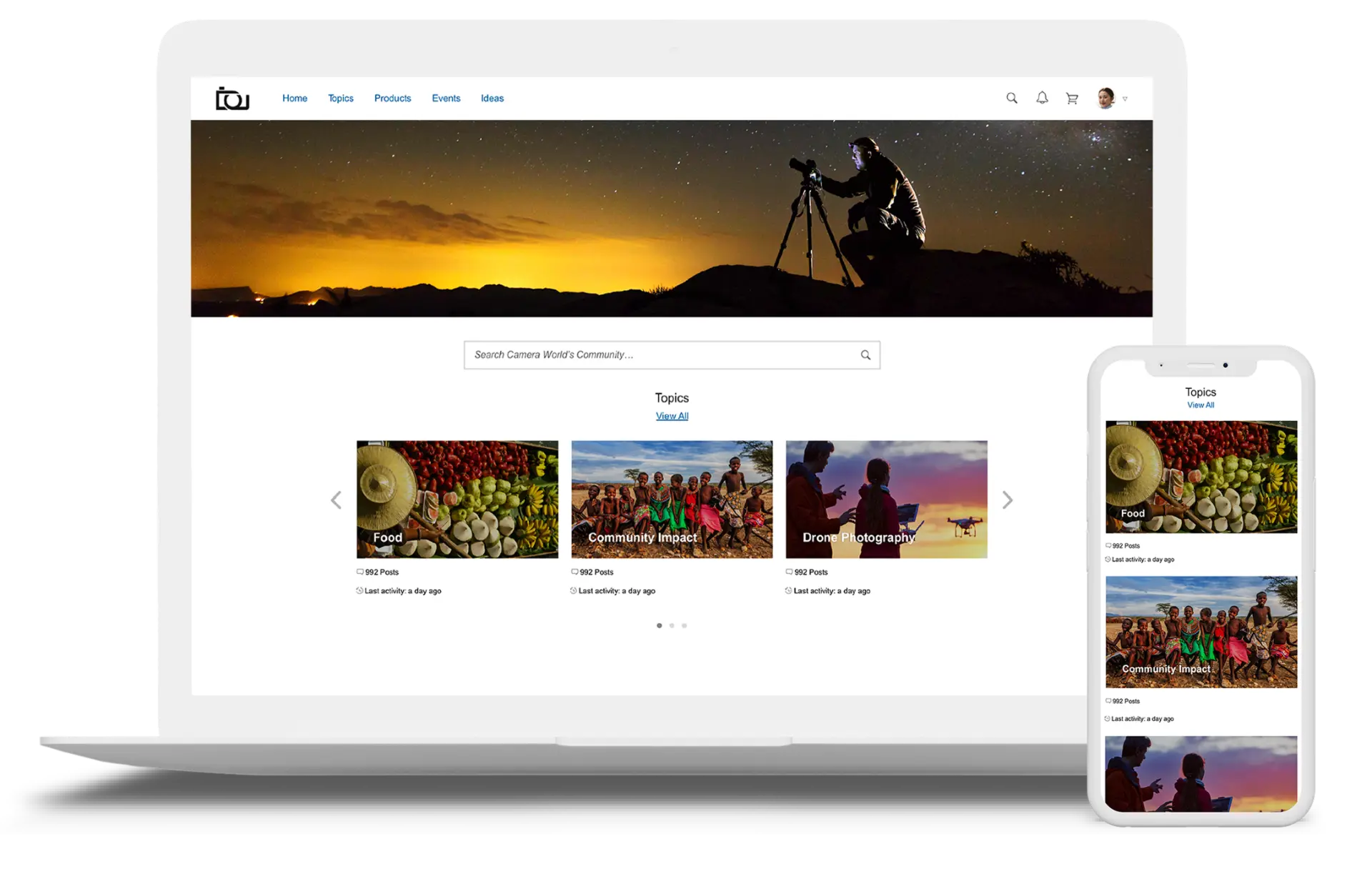
Project Overview
The Challenge
User generated content, like forums and blogs, is often disconnected from the e-commerce website, making content provider websites "unshoppable". Once a highly engaged customer decides to make a purchase, they have to leave the content site and go elsewhere to find the product. This broken experience often results in lost sales for the content provider. Therefore, the effort and expense in crafting communities, engaging with members, and creating content goes to waste.
The Goal
SAP Jam Communities is designed as a native shopping community that integrates with the brand's e-commerce catalogue. The solution brings everything customers are looking for into one place when deciding to make a purchase — reviews, community engagement, product information, and purchasing capabilities.
My Role
As the lead UX/UI designer, I was in charge of the overall UX strategy and vision. During the project, I designed over 200 new features and enhancements.
- Competitive market analysis and user research through observation, research and feedback to learn best practices and understand user needs and motivations.
- Strategy and vision definition by collaborating with the product owner, tech lead and executives to define a user-centred roadmap with competitive advantages.
- User flows, wireframes & interaction patterns in low fidelity (pen and paper) and high fidelity (Sketch), to define guidelines for admins through the creation of their community.
- Prototyping in low fidelity (paper prototyping) and high fidelity (Flinto), to explore and test the interaction of different components in multiple screen sizes.
- UI mockup specifications in Zeplin to facilitate collaboration between design and development.
My Process
Discovery & Research
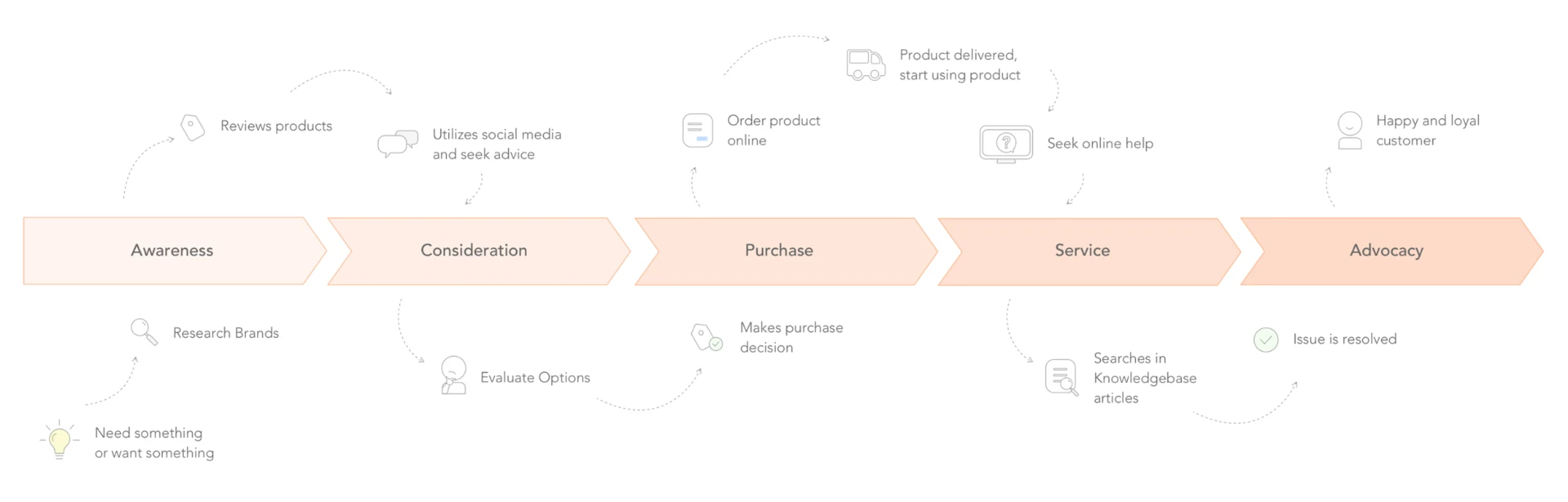
In collaboration with product owners, we conducted market research, competitive analysis, and interviewed potential customers. Based on the findings, we fine-tuned the initial idea, defined KPIs, and mapped out the customer online journey.
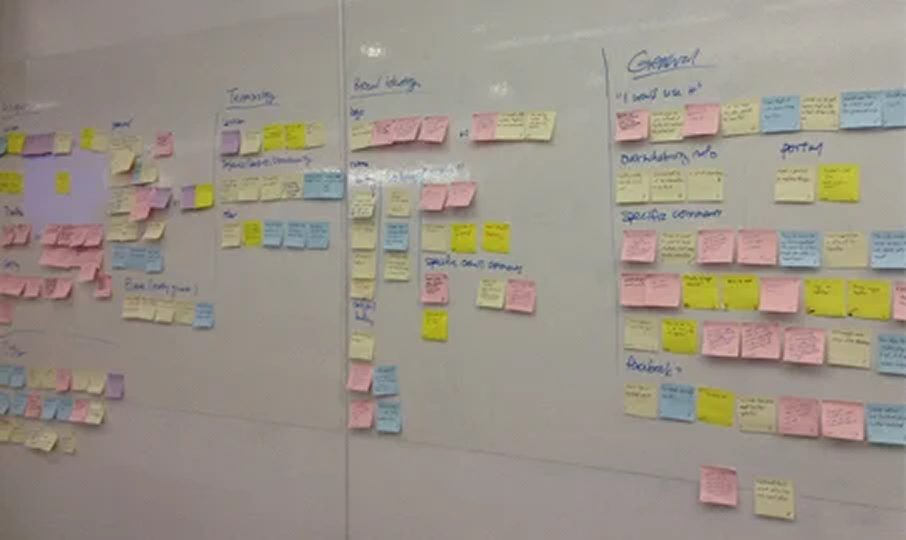
Customer Online Journey
Launching the Ideation & Brainstorming
Insights suggested a couple of How Might We questions:
- How might we improve the shopping experience for customers and provide a "shoppable" community platform?
- How might we enable community owners to provide an engaging platform for their customers?
As a team, we generated over 100 user stories. We filtered the list down to 20 stories for the MVP and prioritized them based on customer impact and effort estimation.
Let's look at a few of the key features!
1. Product Card & Embedded Shopping Cart
Seamless shopping experience from discovery to checkout
Product Cards and the Embedded Shopping Cart were introduced to inspire shoppers and boost sales. The two play a role in the Awareness, Consideration and Purchase stages of the customer journey.
The product card enables community participants to access the brand's catalogue right within the community. It embraces all aspects of product information including price, stock availability and a link back to the product detail page, giving customers the information and confidence they need to make the final purchase decision.
The Embedded Shopping Cart allows them to add items to their cart and modify the cart right from the community without leaving their context.
Sketch time!
I took some time to sketch the concept. I start with low fidelity sketching as it allows me to iterate easily and quickly determine what works and what doesn't.
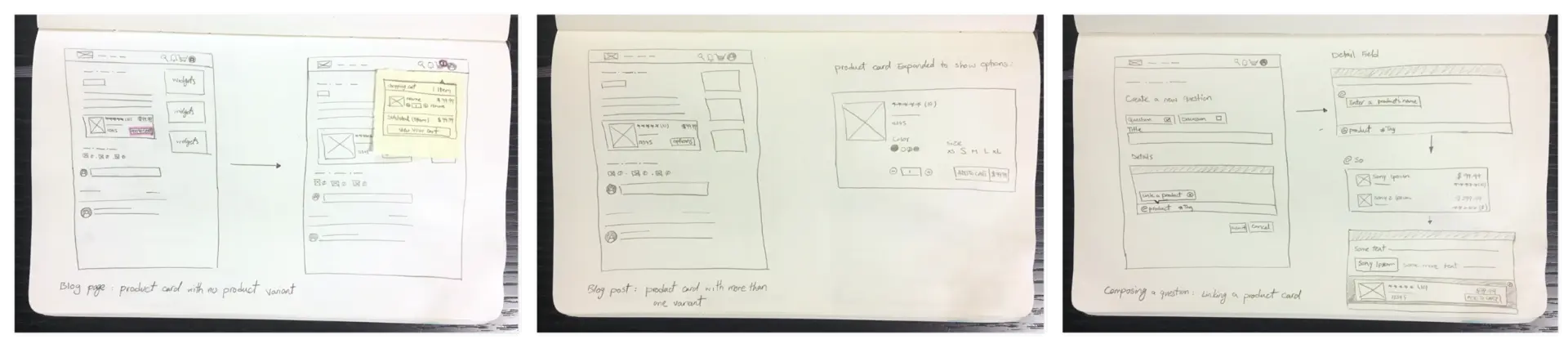
Wireframing
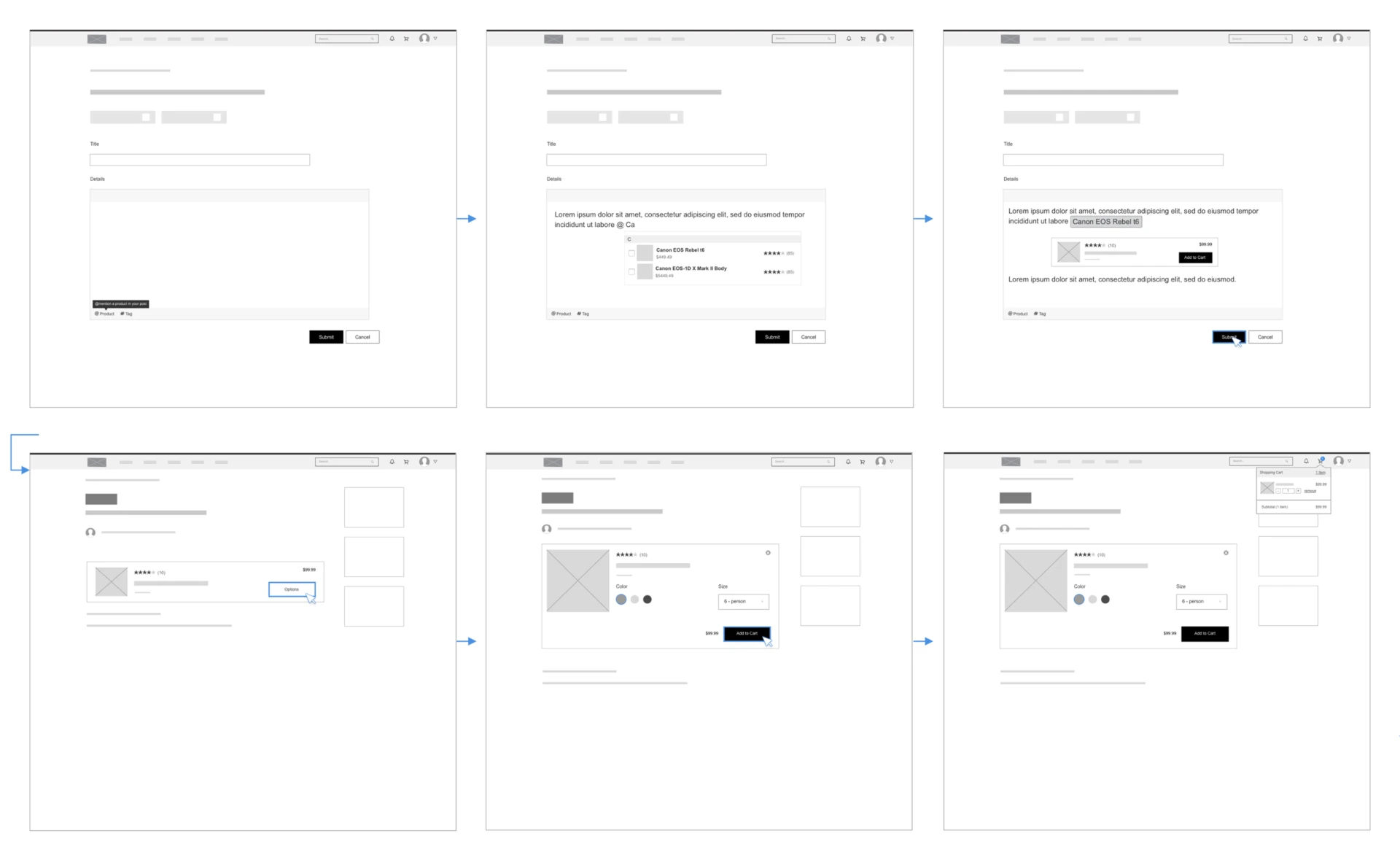
As soon as we were all on the same page, I started working on the complete user flow using Sketch.
The images below cover the flow from adding a product card when composing a blog post, to looking at a product card in a blog post and adding a product to the shopping cart.
Visual Design
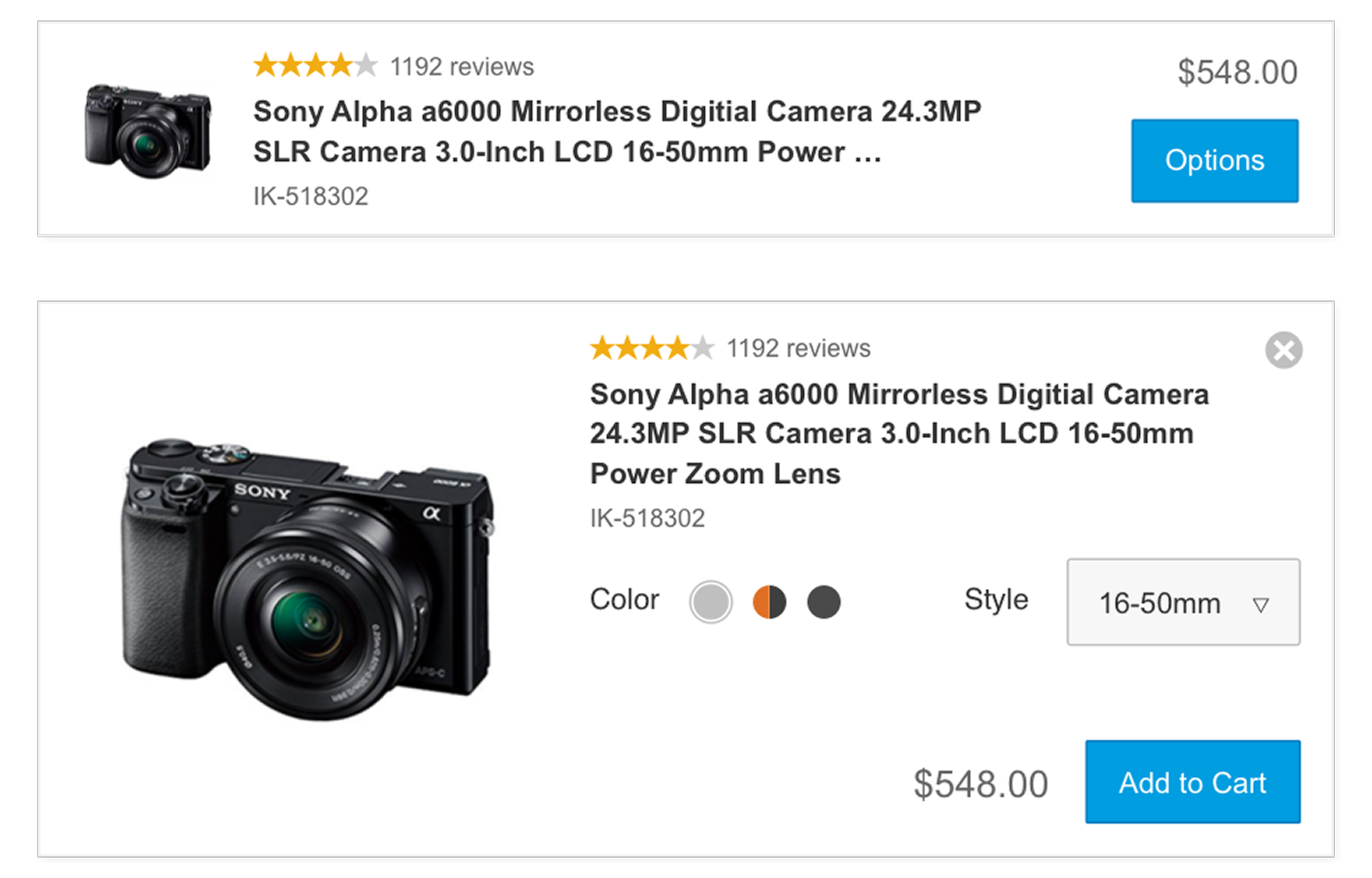
With the skeleton of the idea in place, I started working on the user interface.
The image shows the first iteration of the product card visual design.
User Testing
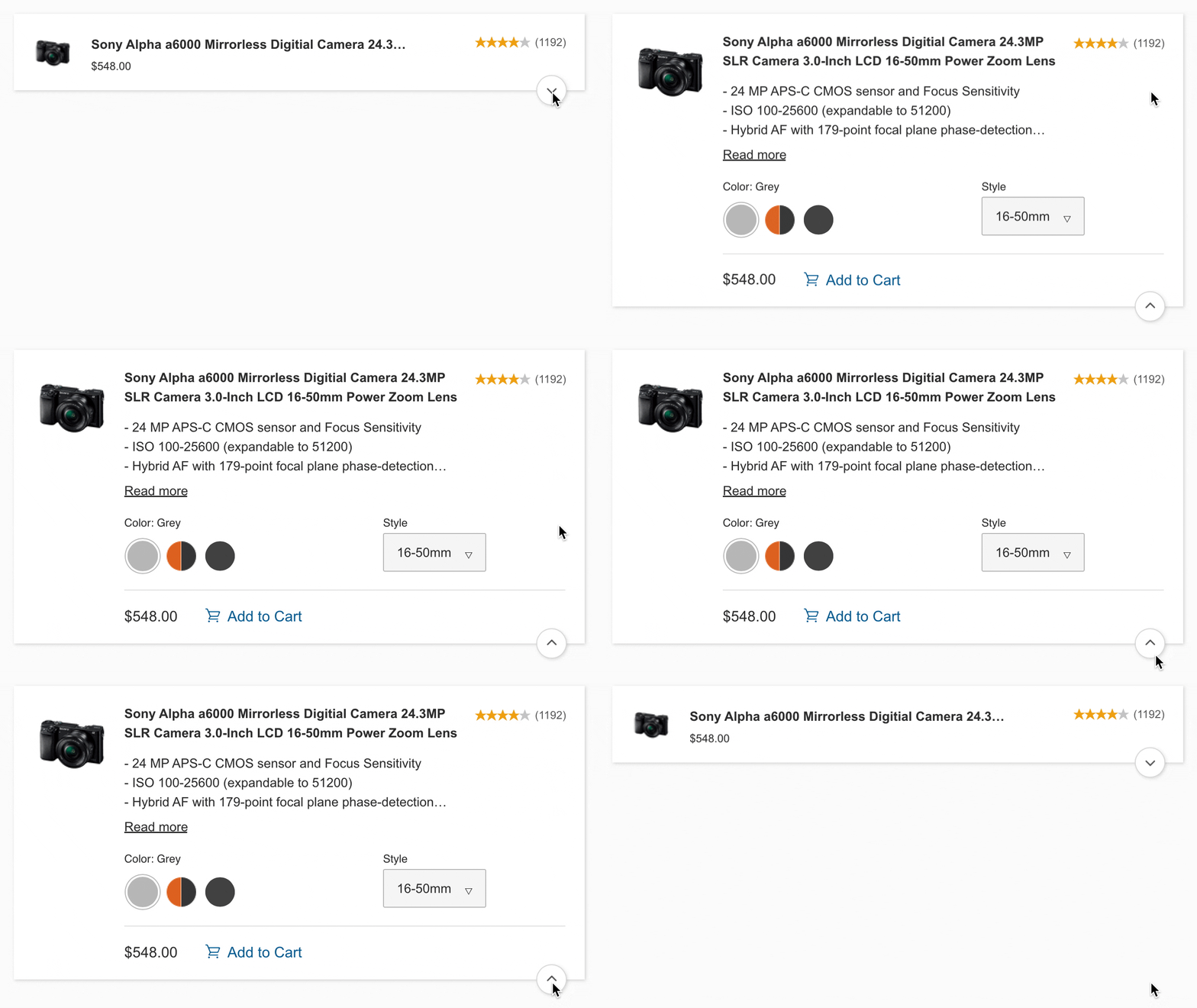
User testing the first iteration of the product card revealed that the visual weight of the CTA button discouraged customers from engaging, as it seemed pushy.
In the redesign, the goal was for the card to show enough information to entice the user to click and learn more about the product. I wanted to keep the interface simple and minimal, yet attractive.
2. Ideas — Share. Vote. Engage.
Another key feature I worked on is Ideas. Ideas was introduced to create loyalty and increase engagement amongst community participants.
The platform allows community participants to share ideas with the brand and other participants, vote on others' ideas and see them in action. It also allows participants to have a discussion around ideas and share them elsewhere.
Sketch Time!
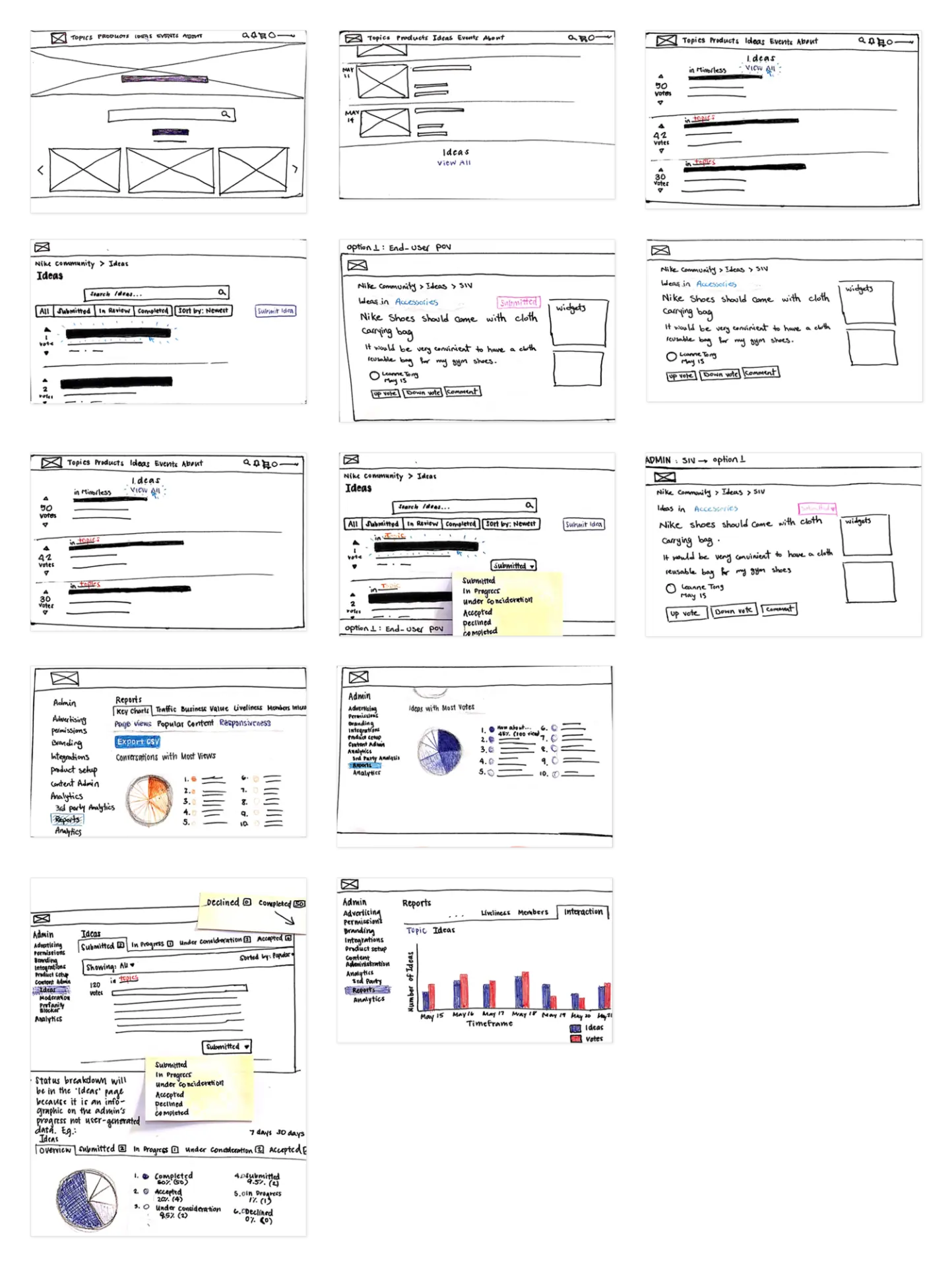
Once we defined the vision and the goal was clear, I started sketching and exploring different design approaches. Sketching helped me focus and declutter my mind, and it was an easy way to communicate the basic idea with stakeholders.
Once I validated the workflow and communicated the vision to the stakeholders, I started working on the user interface.
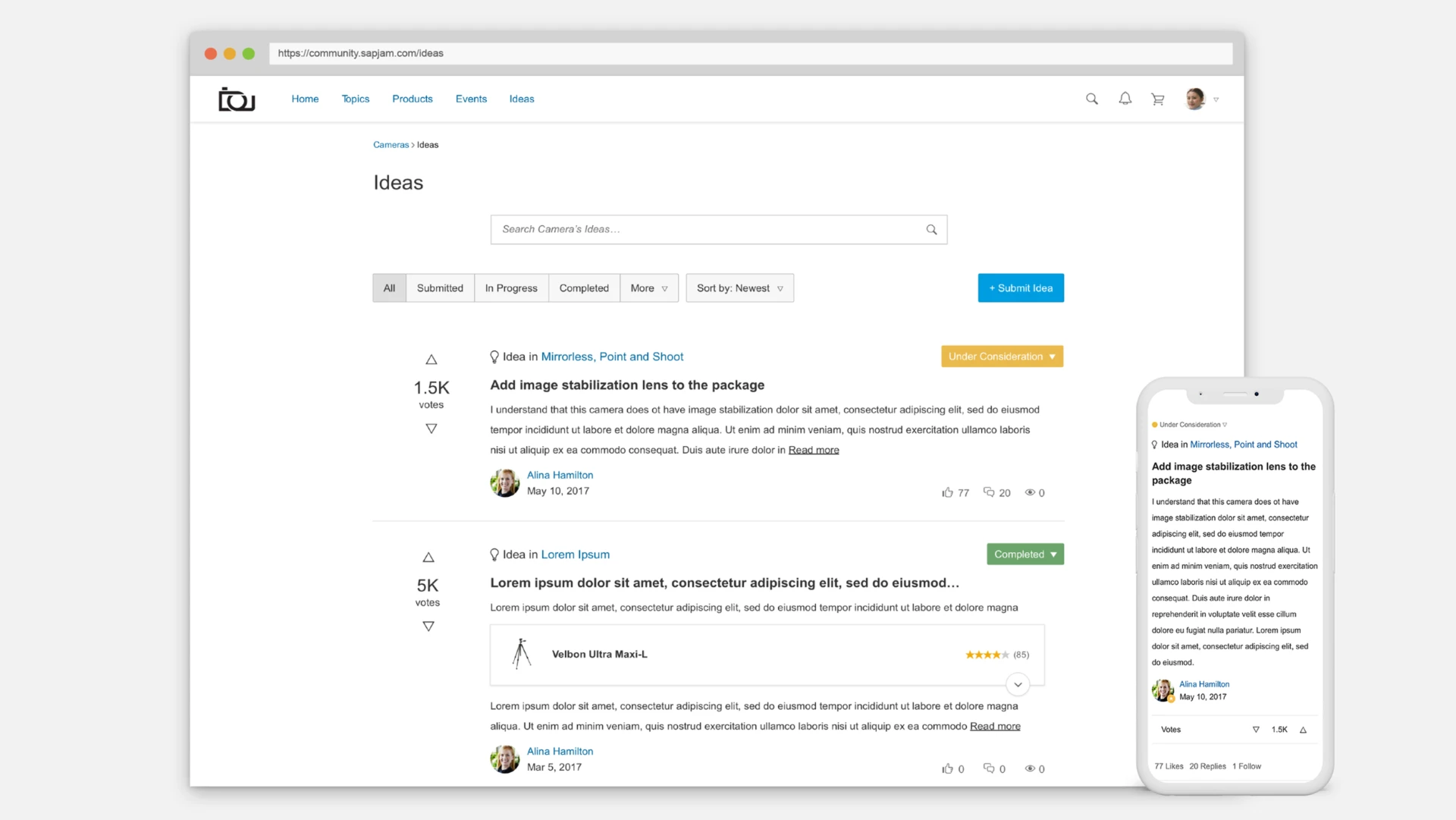
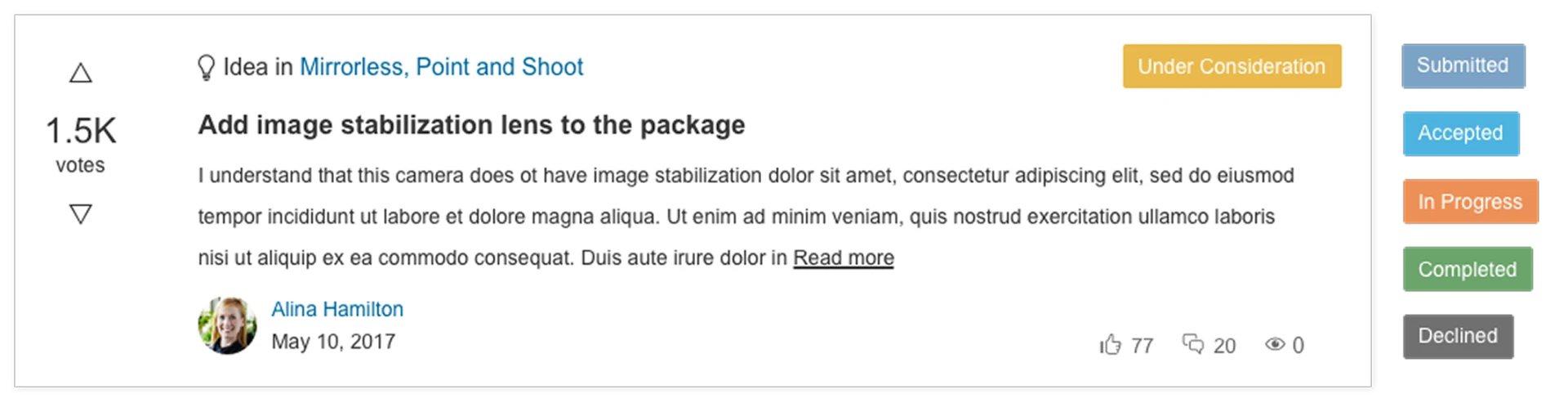
I chose a clean and simple layout to help with faster task completion and improved search engine optimization (SEO).
For the status pills, I used semantic colour coding (e.g. green for Completed, yellow for Under Consideration) and labels to ensure accessibility and scannability.
Vote scores are clearly detectable to efficiently communicate the popularity of each idea.
3. Events — Bringing people together
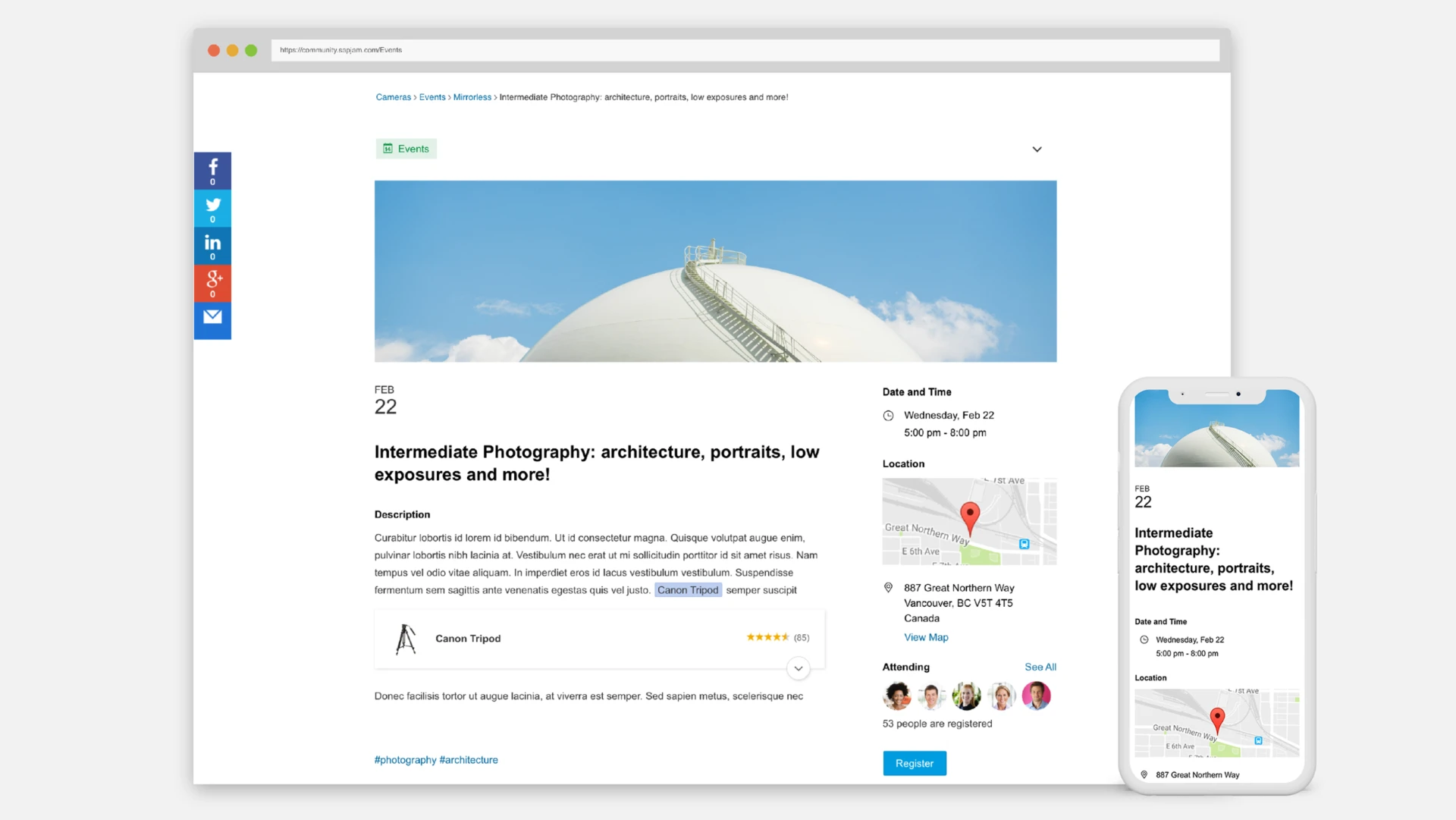
Another key feature I worked on is Events. Events was introduced to bring people together to explore, teach, share and learn things that matter to them.
The platform allows community participants to browse and discover events that match their passions and engage with like-minded people.
Competitive Research
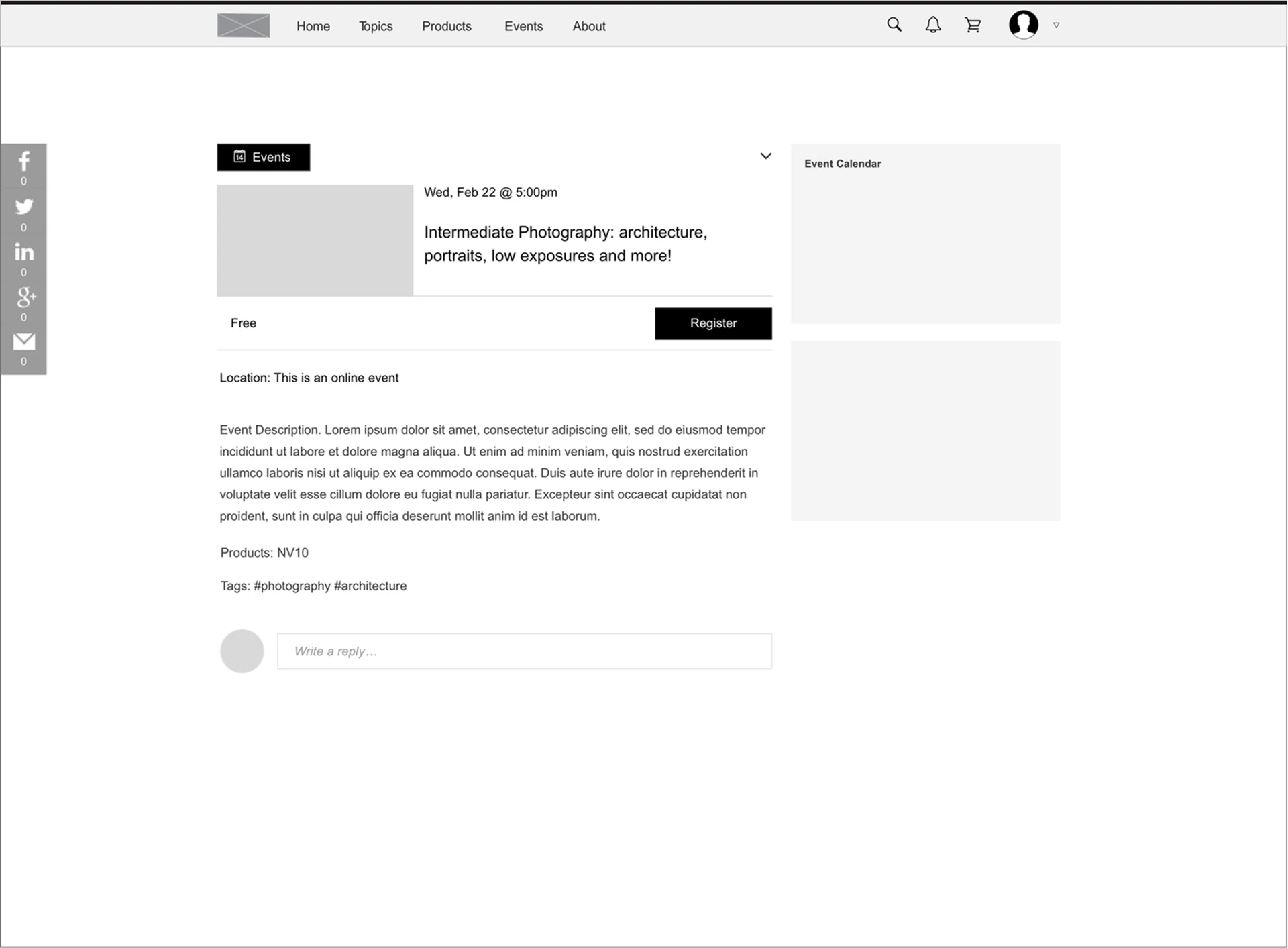
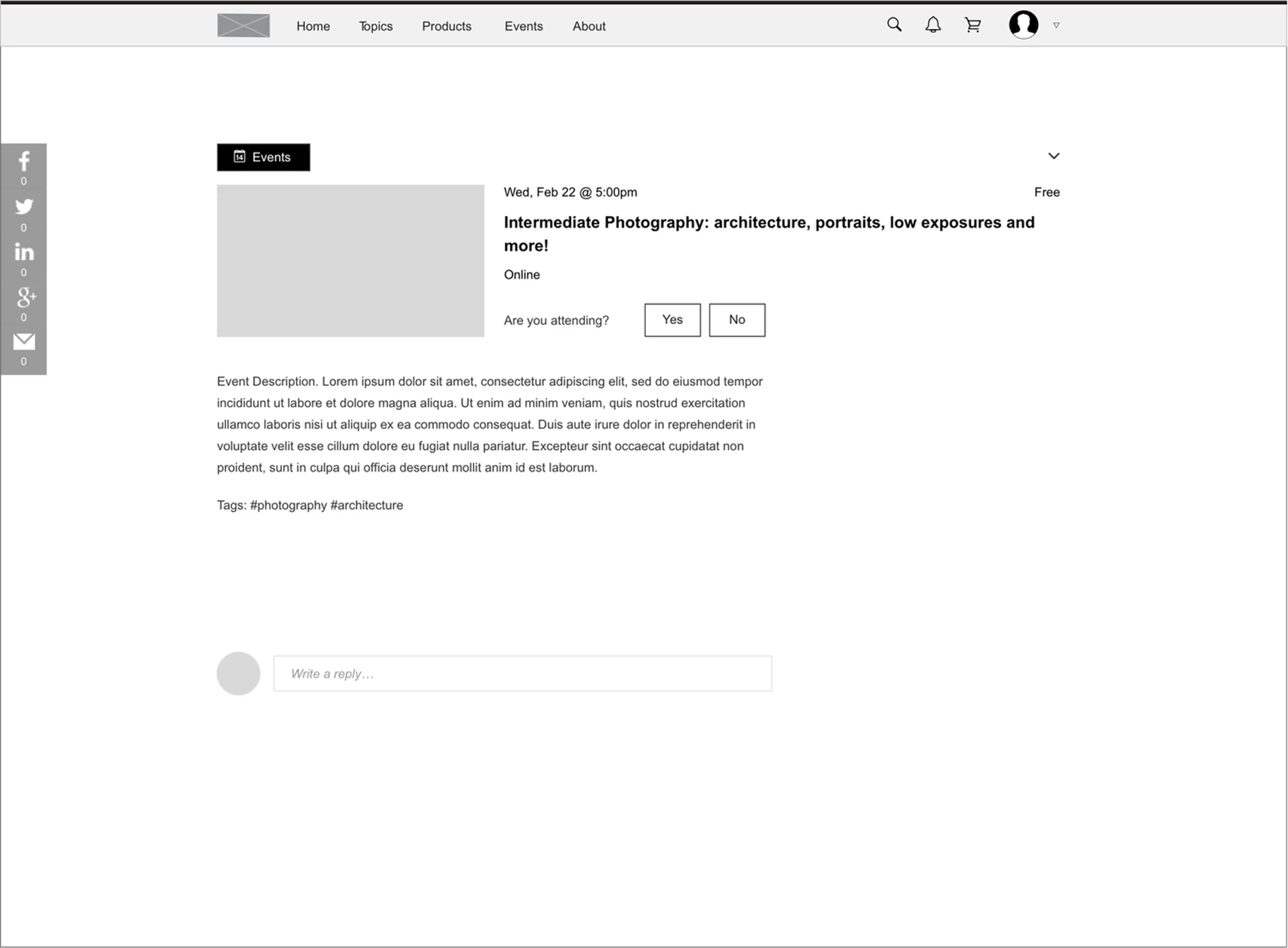
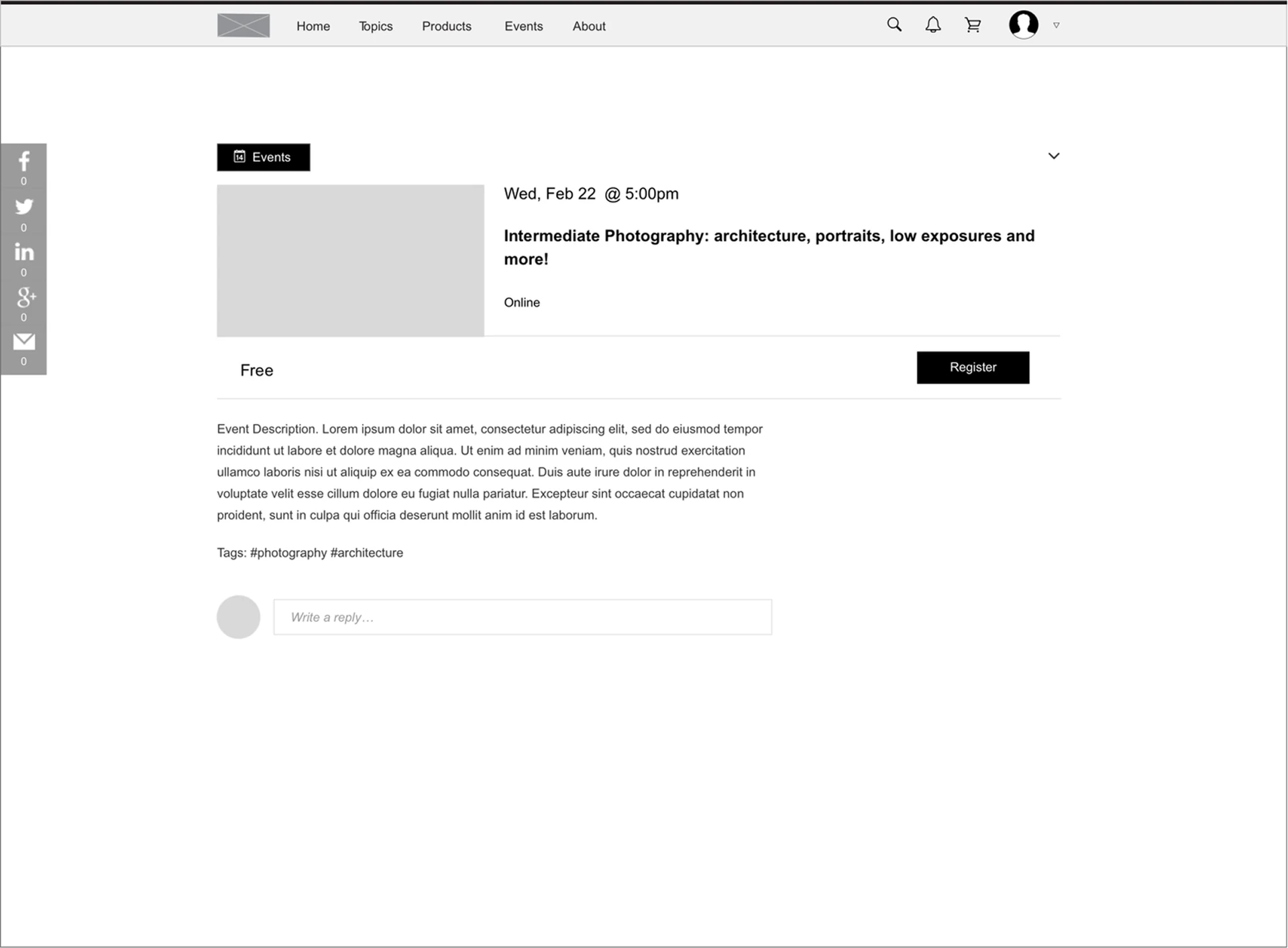
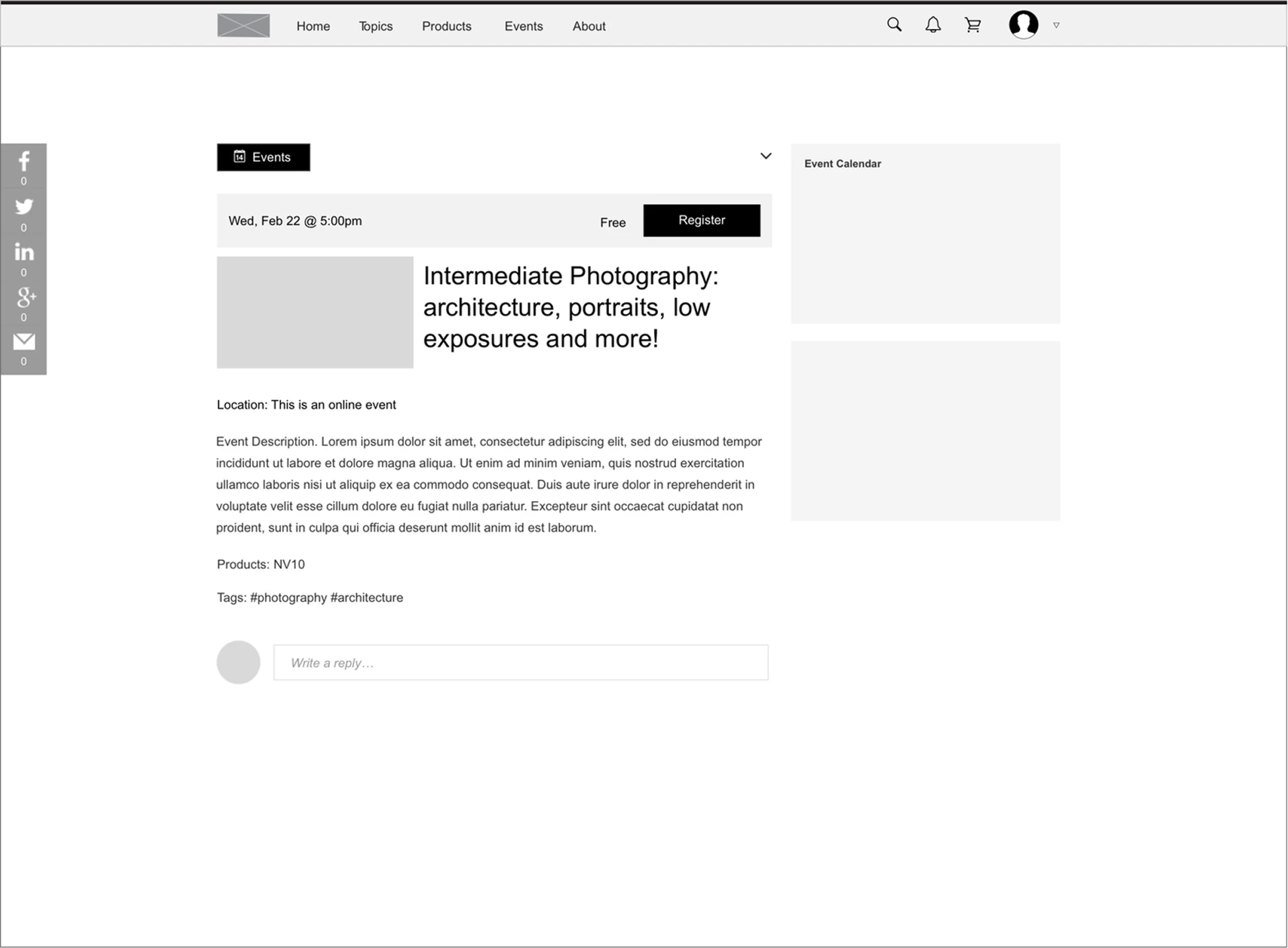
I conducted a competitive analysis, researched existing event platforms and noted their approach and the rationale behind their design. I then took some time to sketch layouts and try different design approaches for the event page.
Use the arrows, the dots or your keyboard to step through the different iterations of the design.
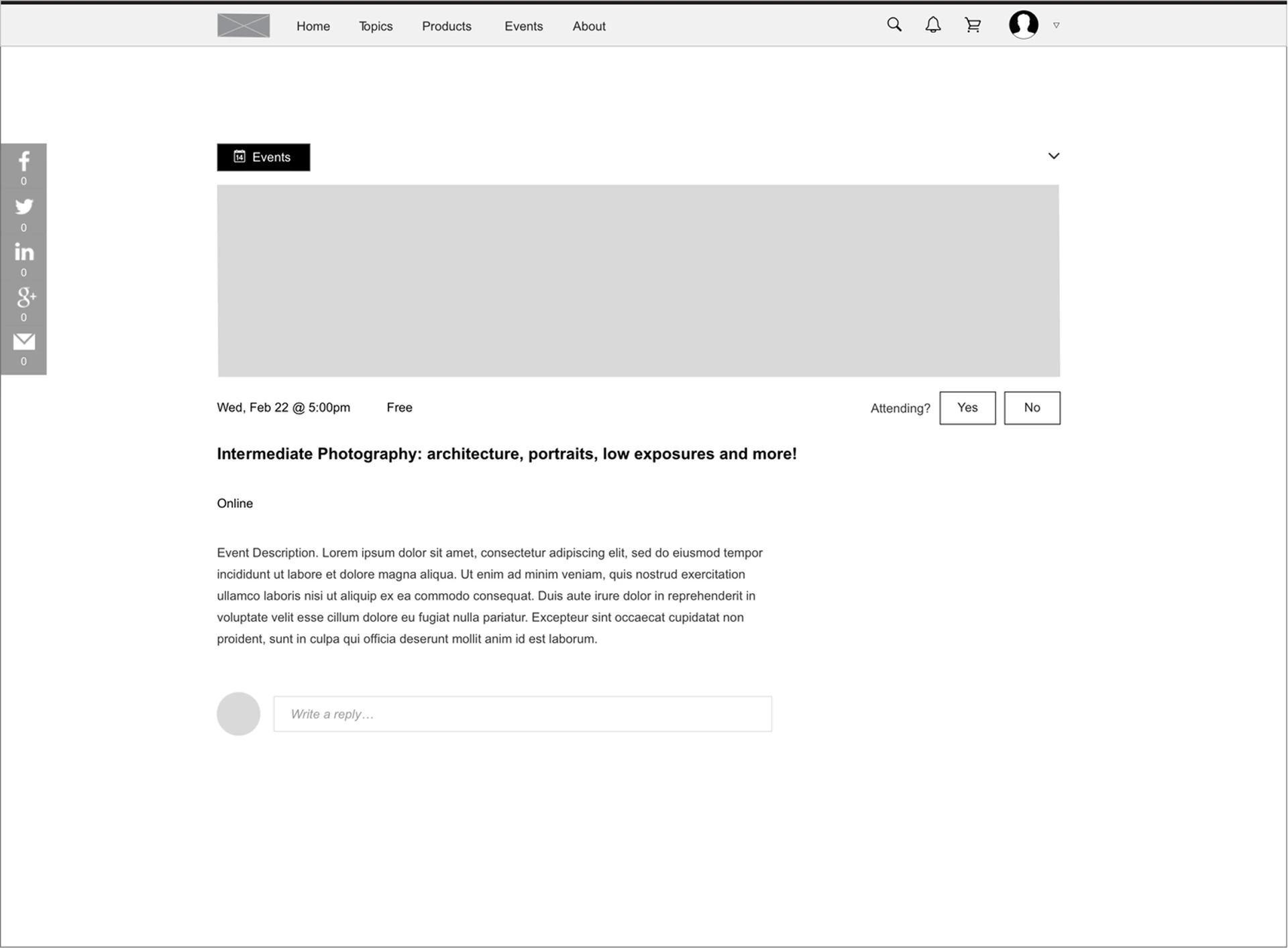
1 / 6
User Testing
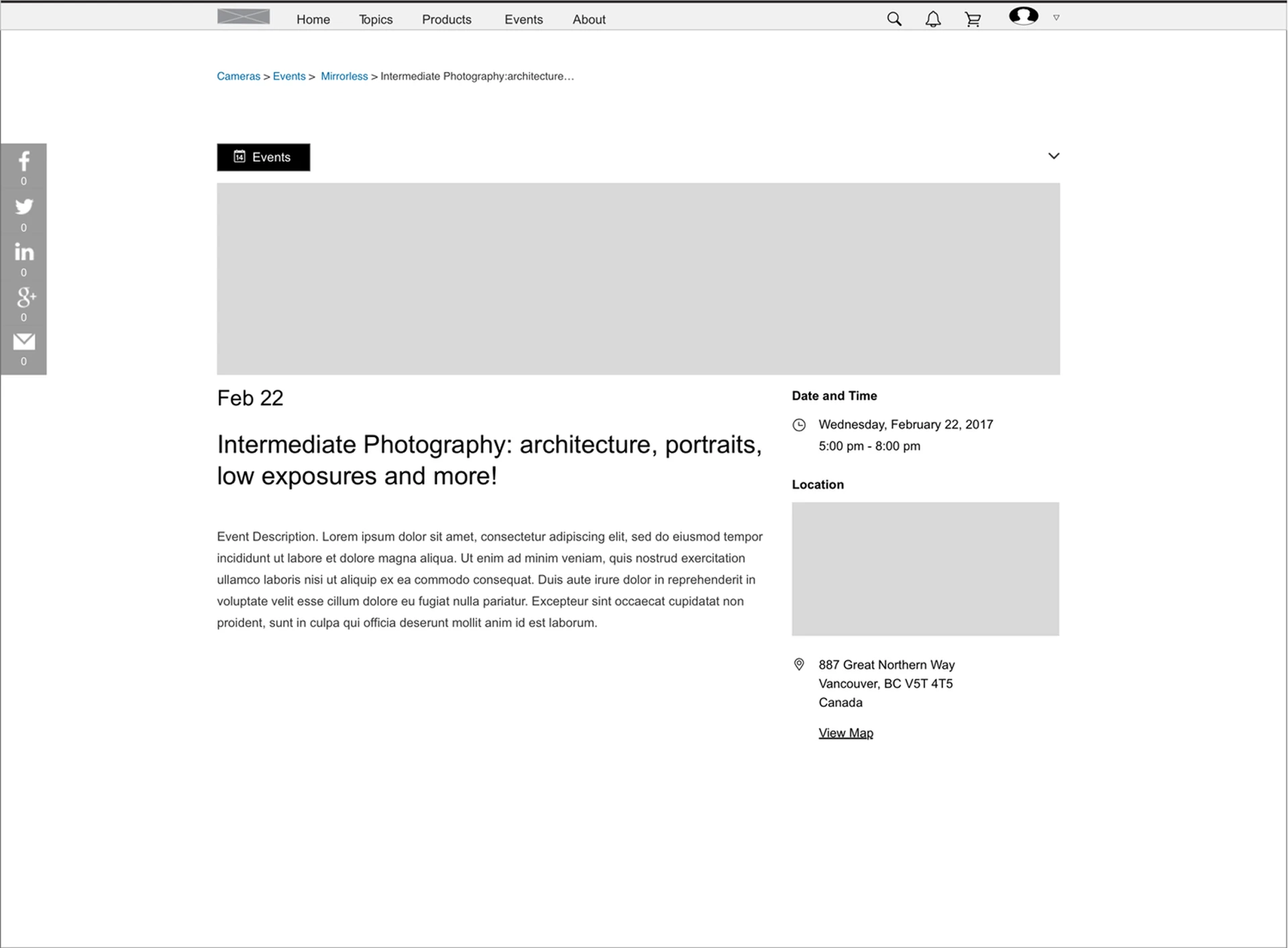
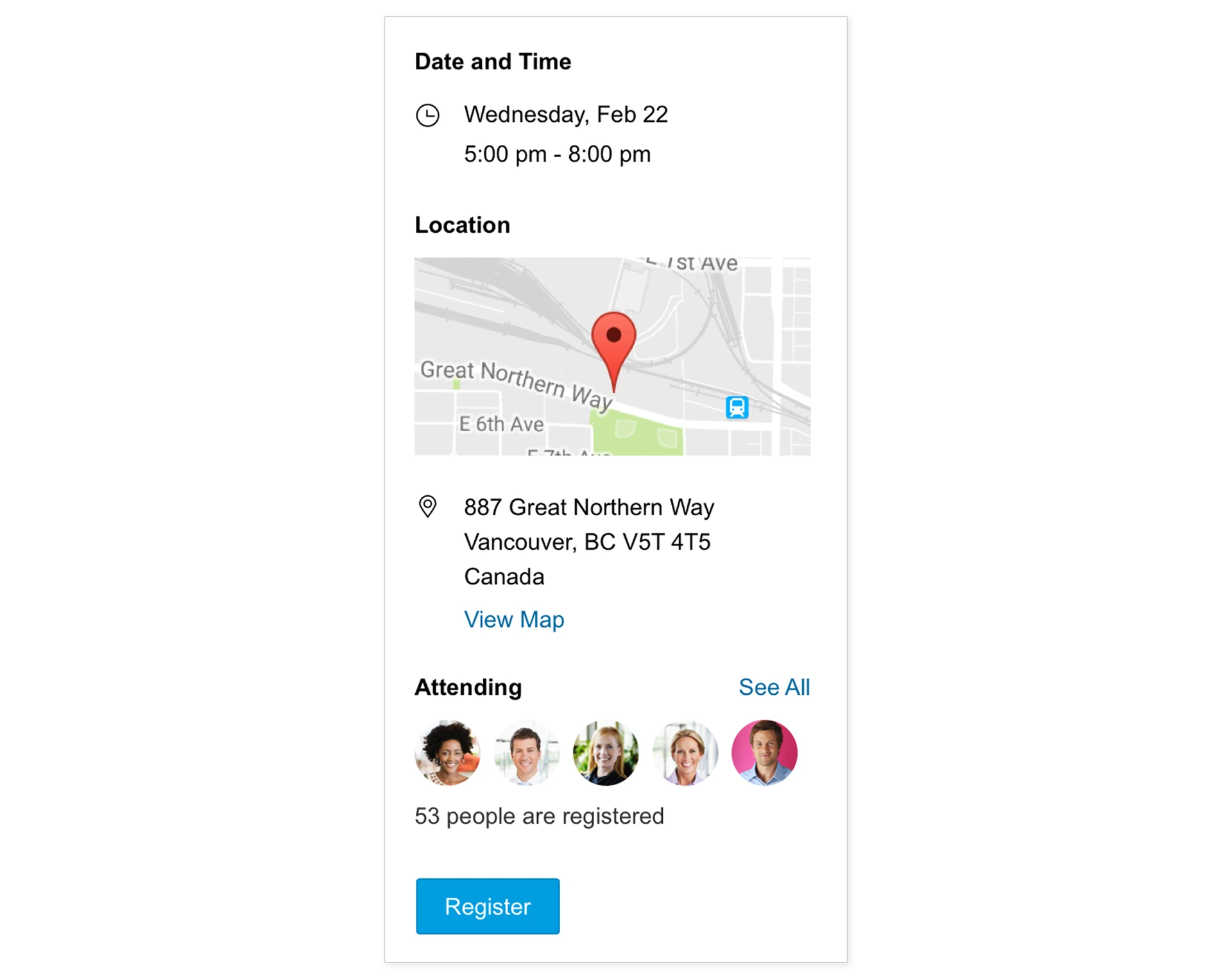
User testing revealed that it is faster and easier to scan content when similar types of information are grouped together, which also increased the task completion rate.
Based on the findings, event logistics such as date and time, location and attendance were grouped together in the right column. This helps readers understand and organize information faster and more efficiently.
4. Analytics Dashboard — Make it easy to understand data
Data tracking and visualization with a built-in dashboard
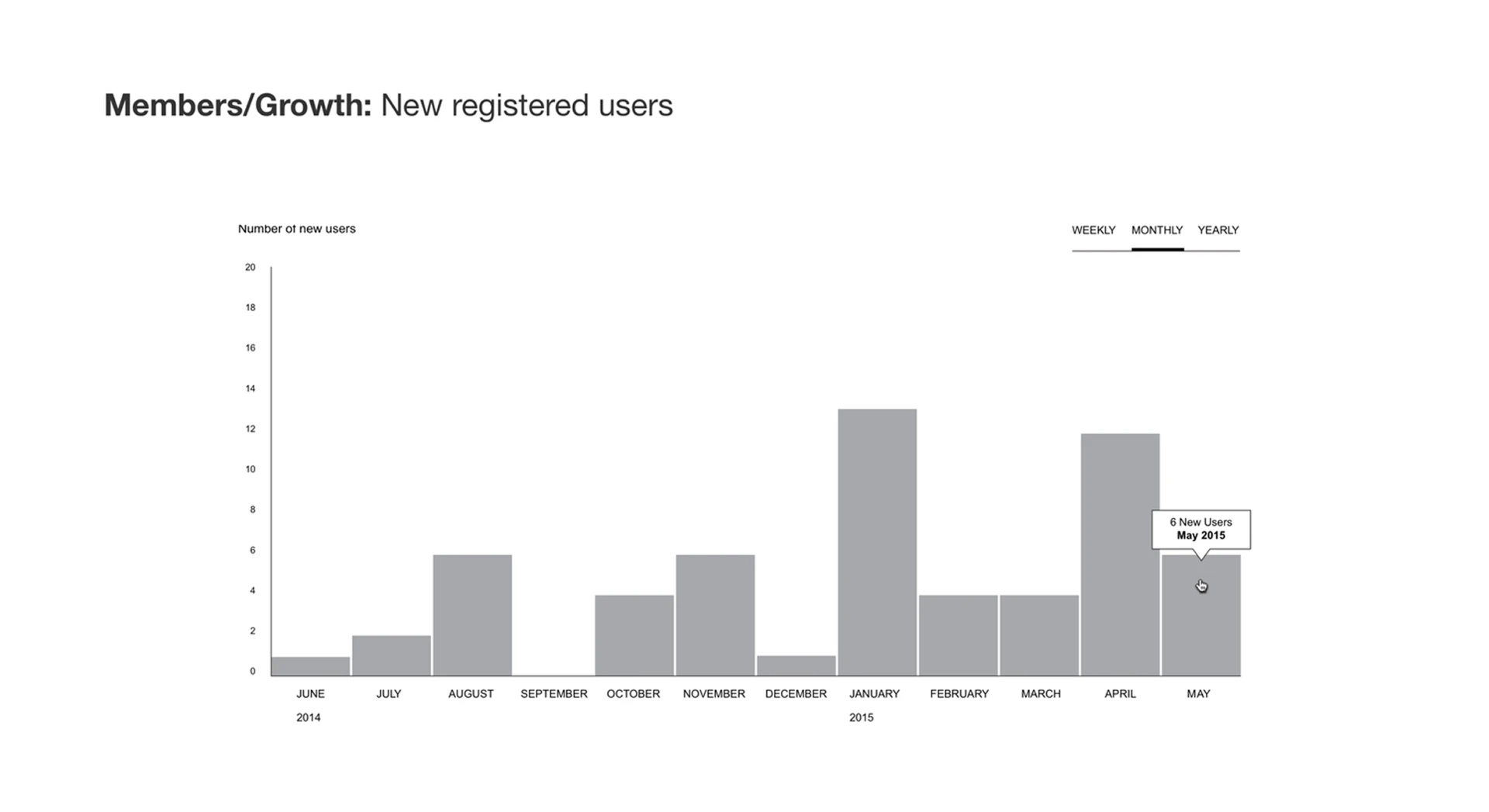
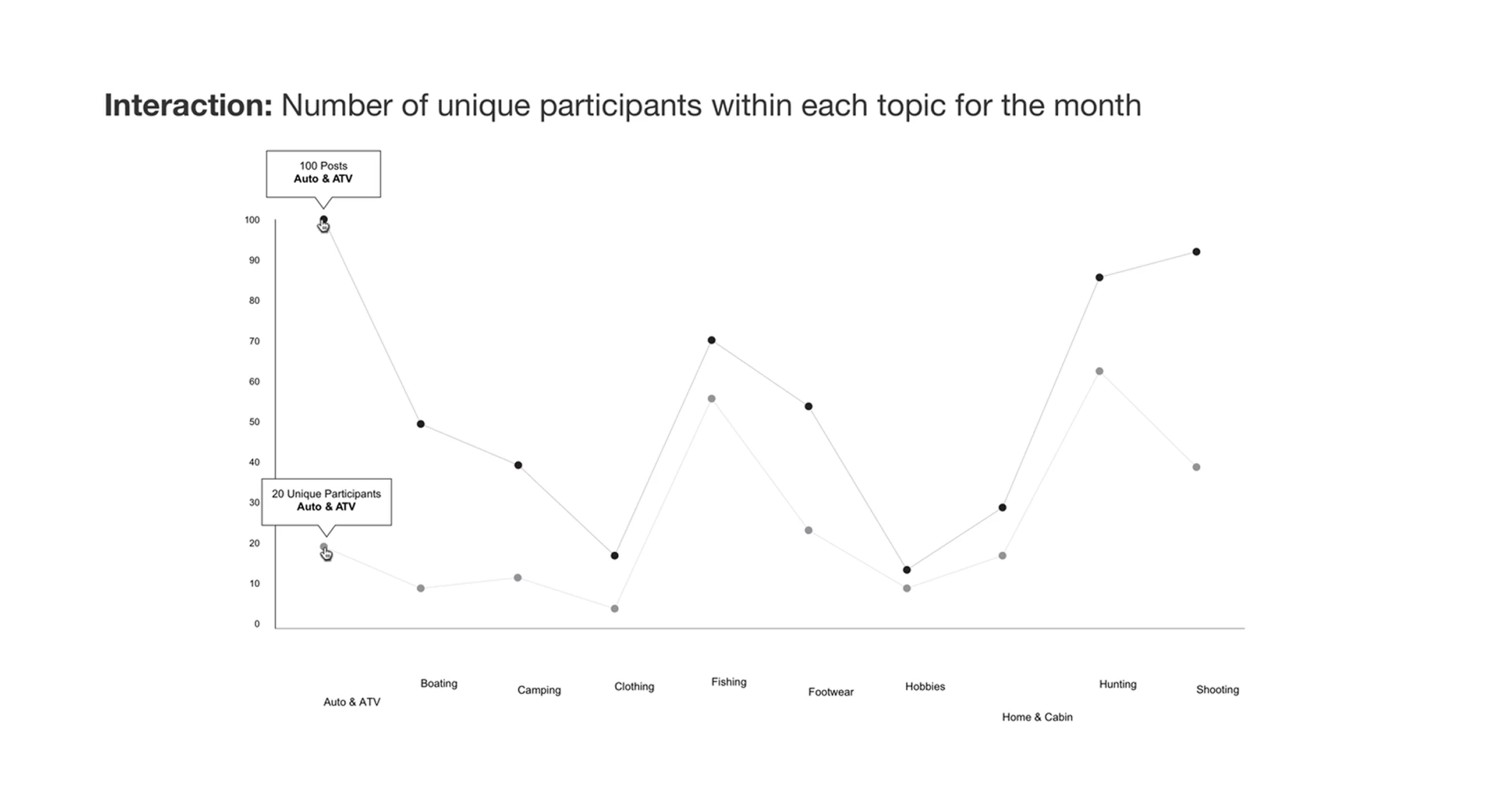
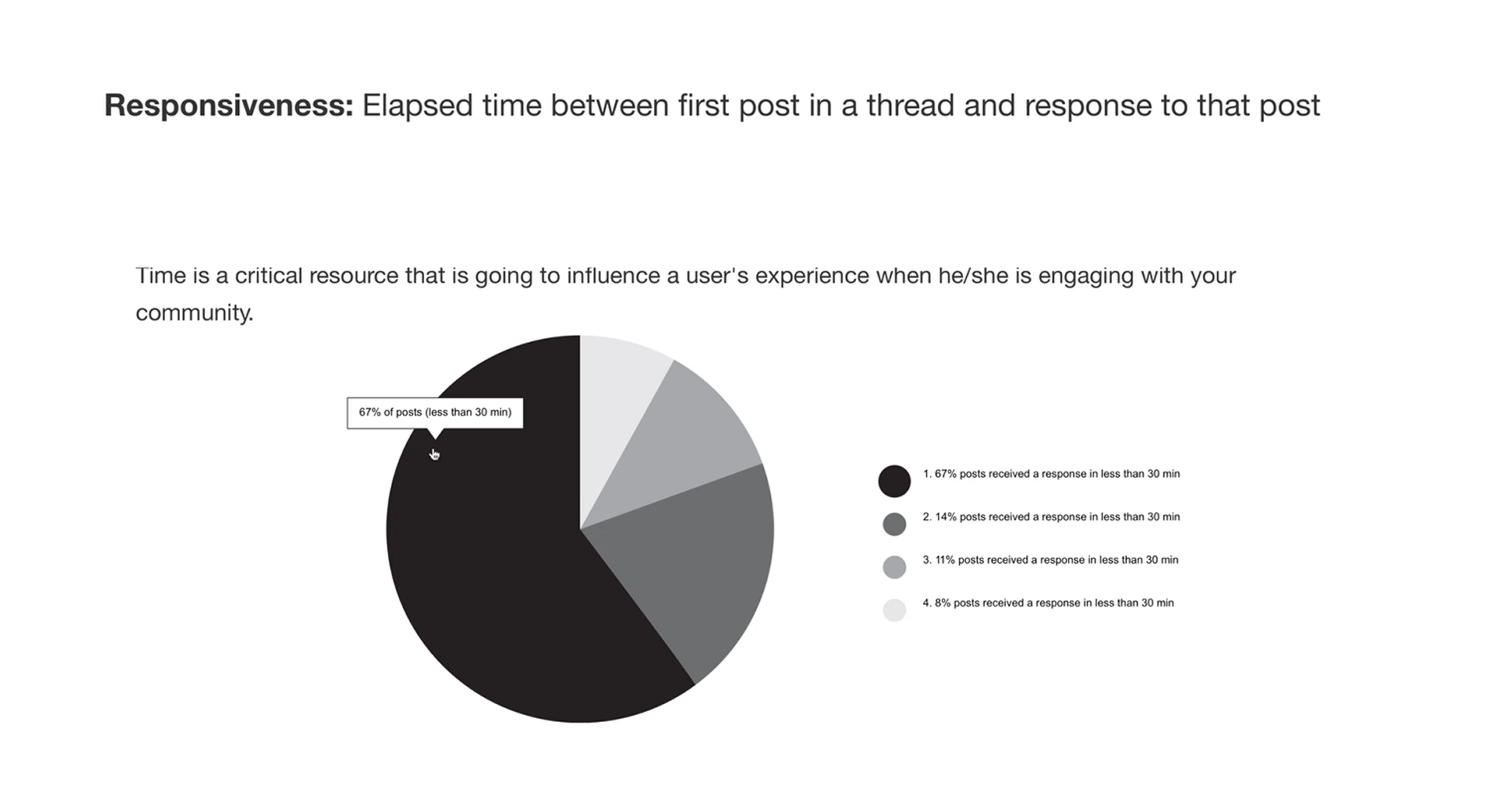
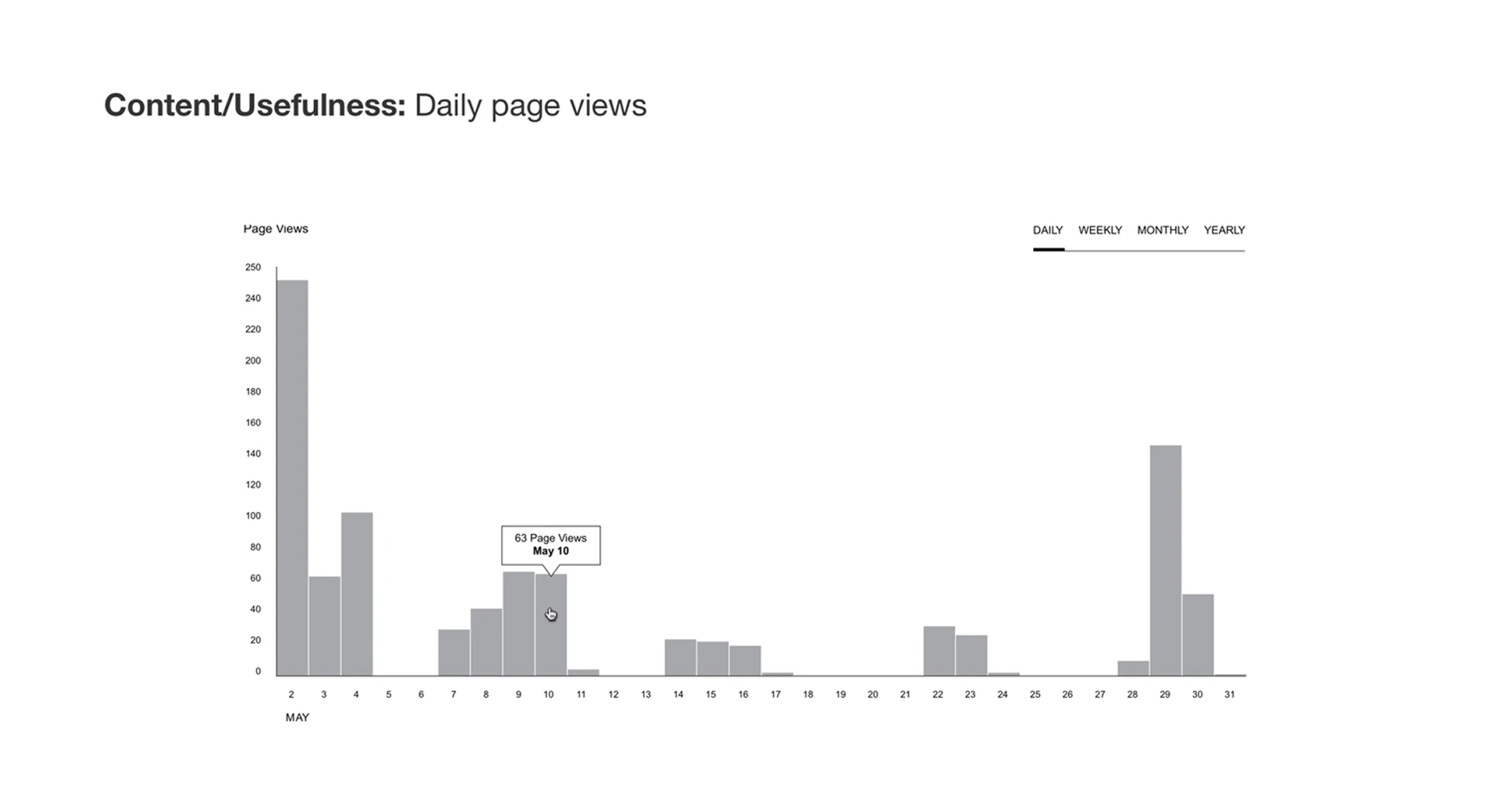
Lightbulb moments: the analytics dashboard is embedded in the core product and is a key component to help the business better understand what resonates with their customers.
User Interview
In our user interviews, we found that understanding and analyzing usage data is not the most fun or easy task. Therefore we designed the dashboard to provide insightful and digestible data. Some of the key charts include site responsiveness, trending topics and user engagement.
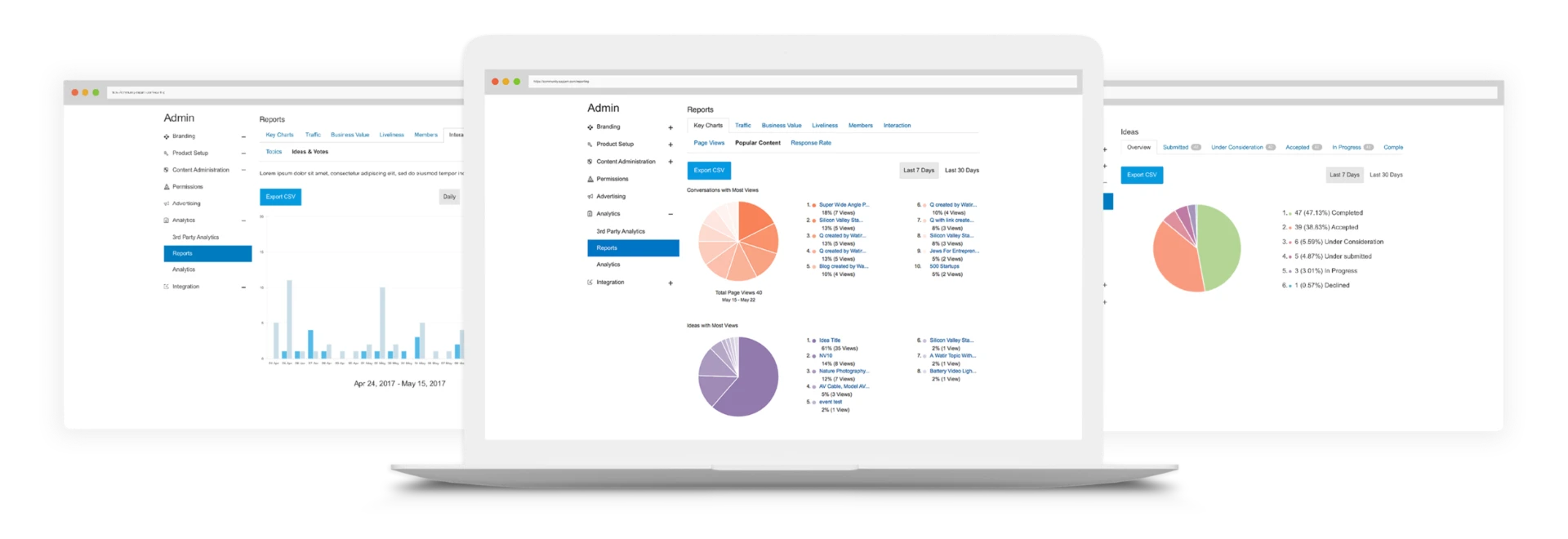
Through competitive analysis, market research and interviewing potential customers, we identified the metrics that matter most and offer the most value. We then defined a set of metrics to be included as part of the out-of-the-box solution.
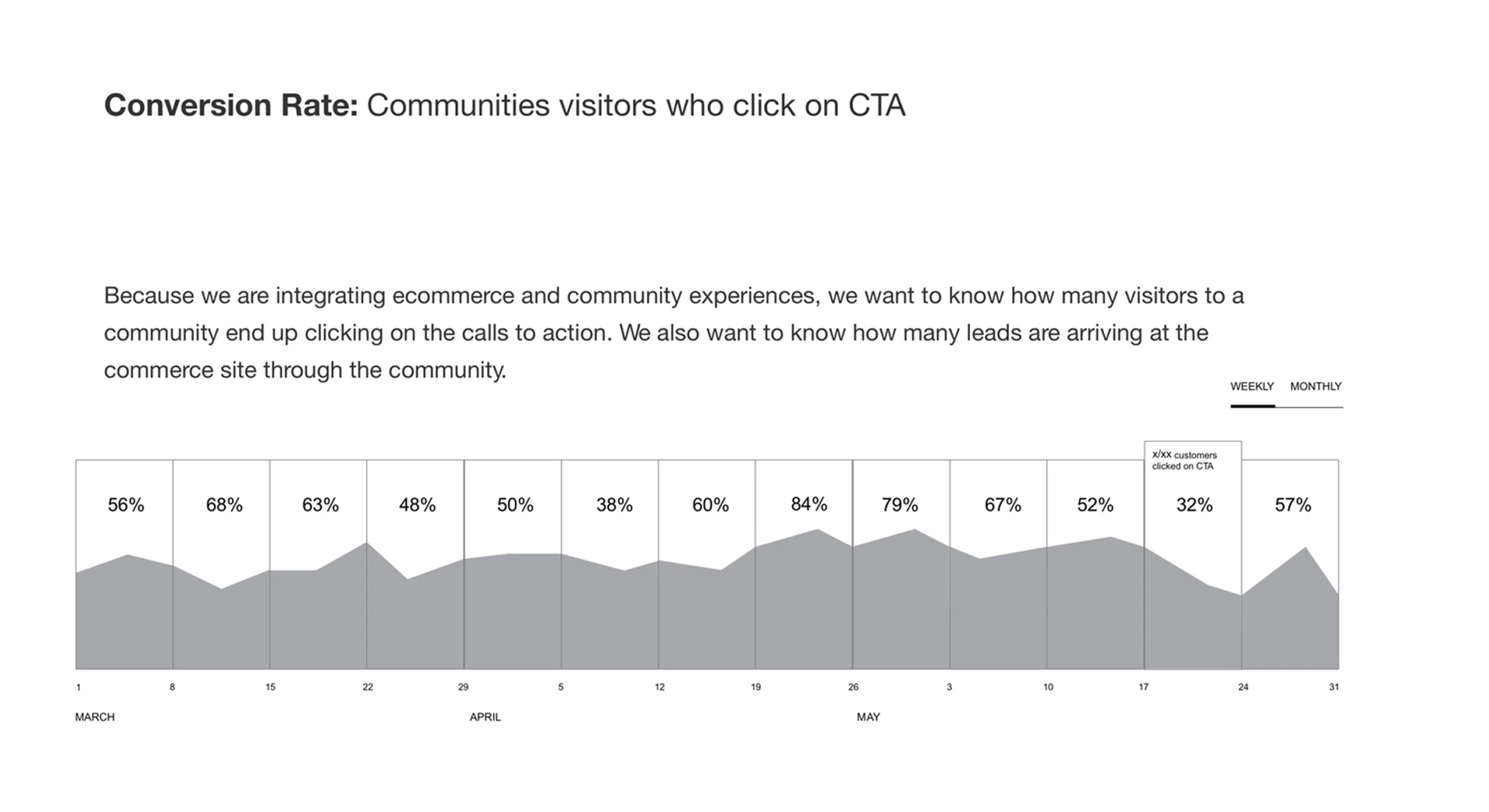
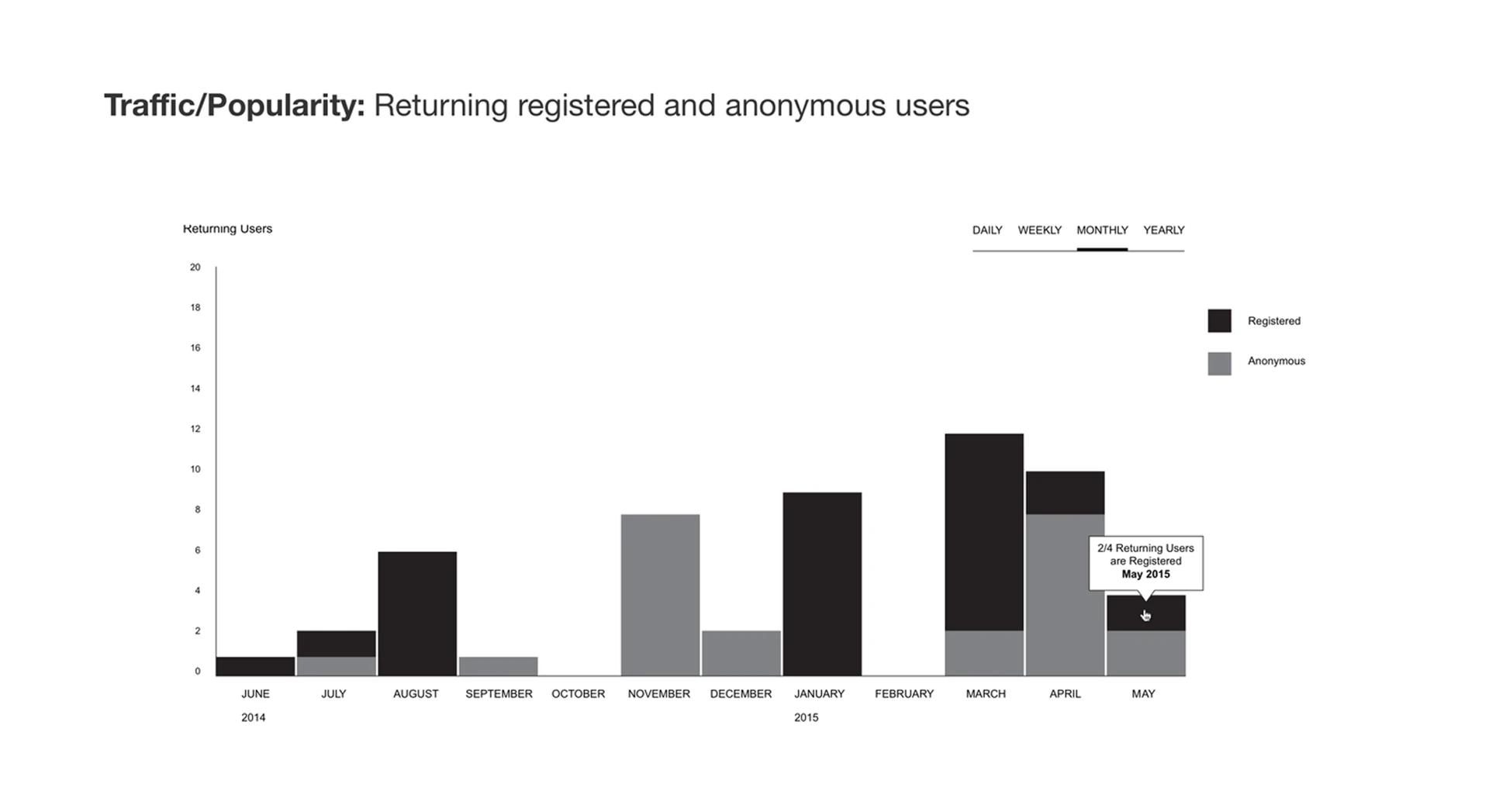
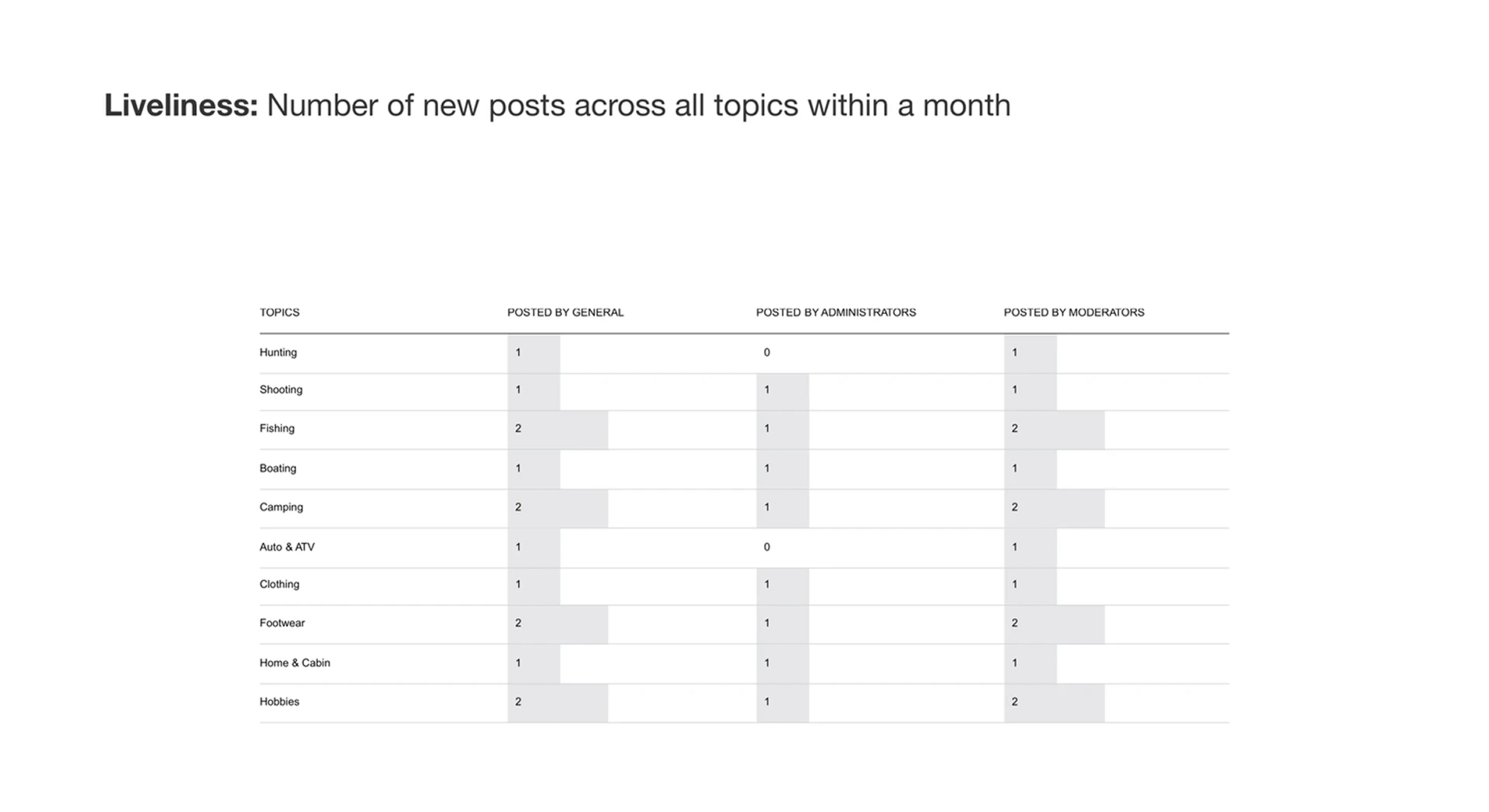
1 / 7
5. Visual Styleguide
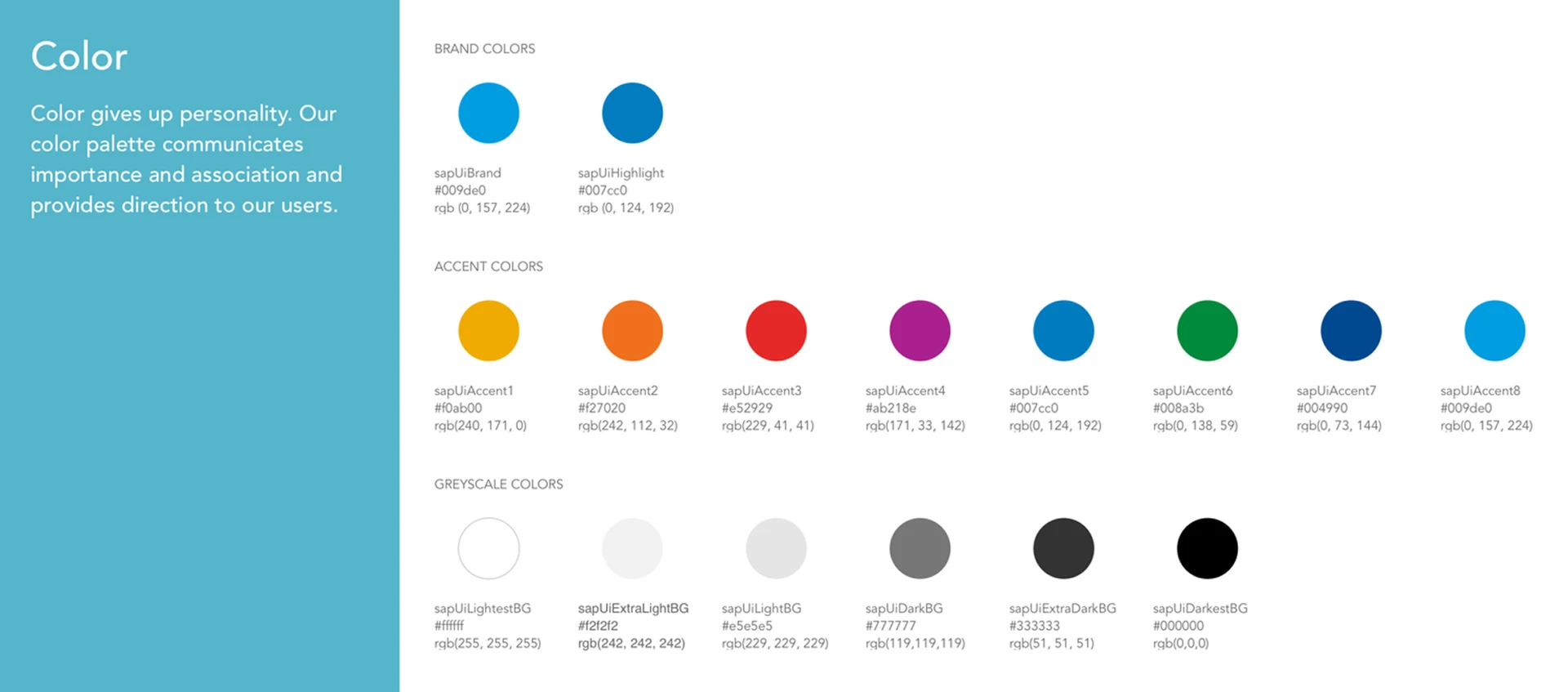
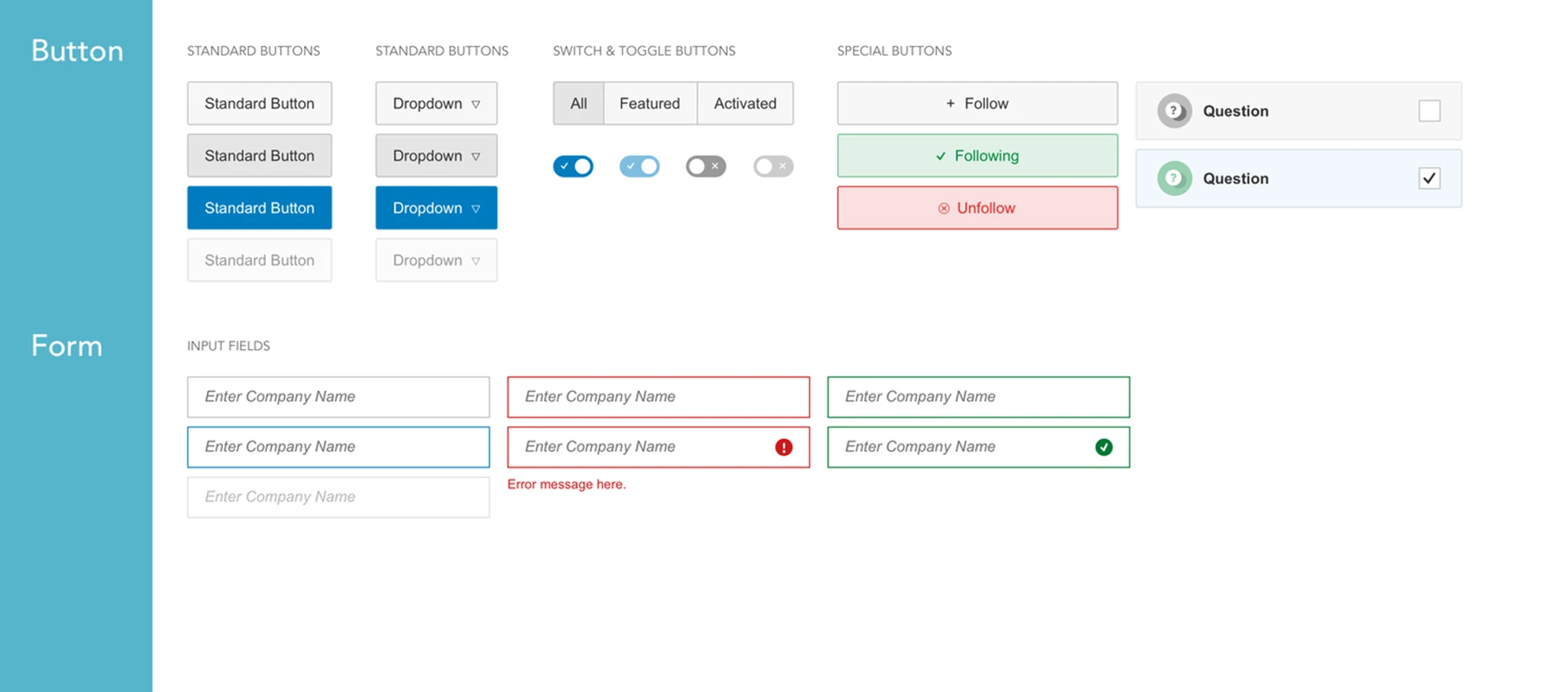
We developed a visual styleguide to organize and inform the design patterns for all components in the application. The styleguide followed SAP branding guidelines to ensure alignment with organizational design specifications.
What I Learned
Team work
A startup within an enterprise! I had the opportunity to collaborate with a fast-paced and globally dispersed team. I learned how to communicate effectively across language barriers and build a sense of culture and community in a virtual team.
Design is iterative
People don't always use the product the way you designed it. Putting the design in front of users early and testing often helps validate design decisions, reveal nuances and eliminate the risk of heavy investment.
Principles
I learned about the strategies and principles of UX design for an e-commerce platform. SEO, responsive design and the role of human psychology in design decisions are amongst the highlights of my learning.
Thanks for reading.
← Back to work