BESTBUY · SENIOR UX DESIGNER
Centralizing Mobile Carrier Pricing
Best Buy Accessible Mobile Pricing (AMP):
Forget about long line ups, AMP up! Easily access and compare wireless carrier pricing from the comfort of your home.
This year, wireless is expected to deliver over $400M in revenue.
78% of customers who visit a store have done research online. Accessible Mobile Pricing evaluation suggests that this feature will improve conversion by 8%, creating a $13M opportunity for store sales (annualized).
Accessible Mobile Pricing was the idea our team proposed for the Best Buy hackathon. We went from design to unit tested, production-ready code within 24 hours, and pitched the idea to hundreds of people and a panel of executive level judges.
The work is being used as the building foundation for future iterations.
Project Overview
The Challenge
- There is no central or digital place for Blue Shirts to view real-time carrier price changes.
- 15,500+ hours spent in-store looking up carrier prices manually.
- Customers can't easily compare carrier prices to find the best deals.
- During peak events, plan activation line ups can be over 70 mins.
The Goal
To consolidate carrier pricing to allow Blue Shirts and customers to have one single source of truth. For customers, to easily compare carrier pricing and make more informed purchase decisions. This allows Blue Shirts to focus more on being in service of customers and less on manual processes.
The solution instills confidence in Blue Shirts when presenting the different pricing and promotions to customers. They can engage in a conversation with customers and gain their trust that they are truly receiving the best offer.
My Role
As the UX designer, I was in charge of designing an experience that could be delivered in 24 hours.
- Competitive market analysis through online research to learn about the best practices.
- Gathering data by collaborating with the business lead, data analysts and store managers to understand user behaviour, current workflows and possible opportunities to showcase our competitive advantage.
- Whiteboarding to quickly define guidelines for information hierarchy and interaction flows.
- Streamlining the effort between developers, the business lead and the experience design team (UI designer, UX writer and myself) to ensure timely delivery of the solution.
My Process
Discovery
I started with gathering the known data and learning the current workflows. I interviewed store leads to understand user behaviour, needs and wants when shopping for a new phone in store. I also talked to the web wireless department to gather the customer's shopping patterns online.
Online Research
I quickly looked at a few competitors and identified similarities and differences between different solutions. I categorized my findings into two buckets: success and needs improvement.
Defining Customer Goals
As a customer, I want to:
- Easily compare carrier pricing and make more informed purchase decisions.
- Start my research whenever and wherever is convenient to me.
- Make sure that I am receiving the best offer.
- Quickly finish my new phone activation.
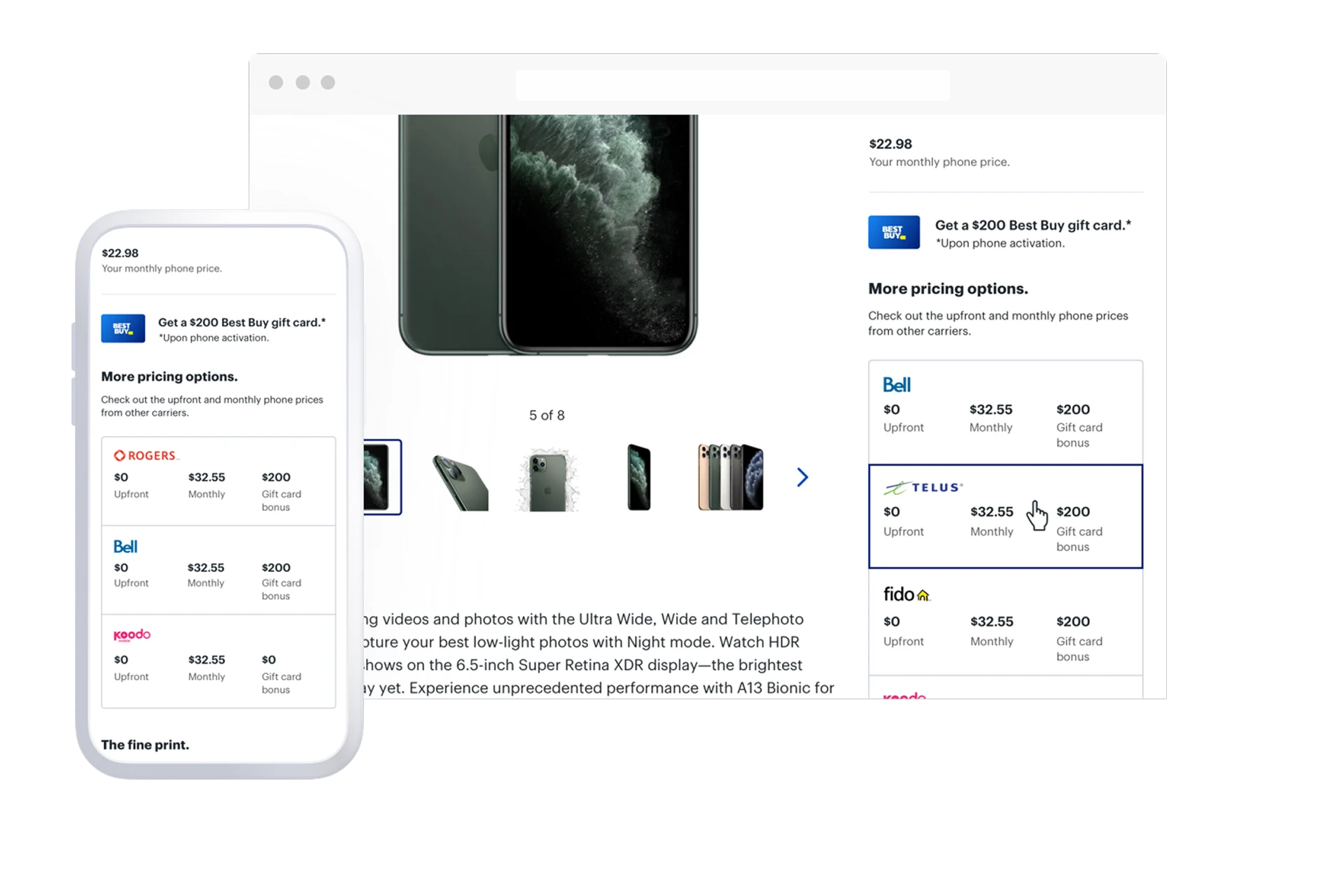
Scope
After defining the problem space and customer goals, as a team we identified the smallest slice of experience that would deliver value to customers and be deliverable within 24 hours.
We decided to focus on showing and comparing the upfront and monthly cost of phones for different wireless carriers, and leave wireless plan and price details out.
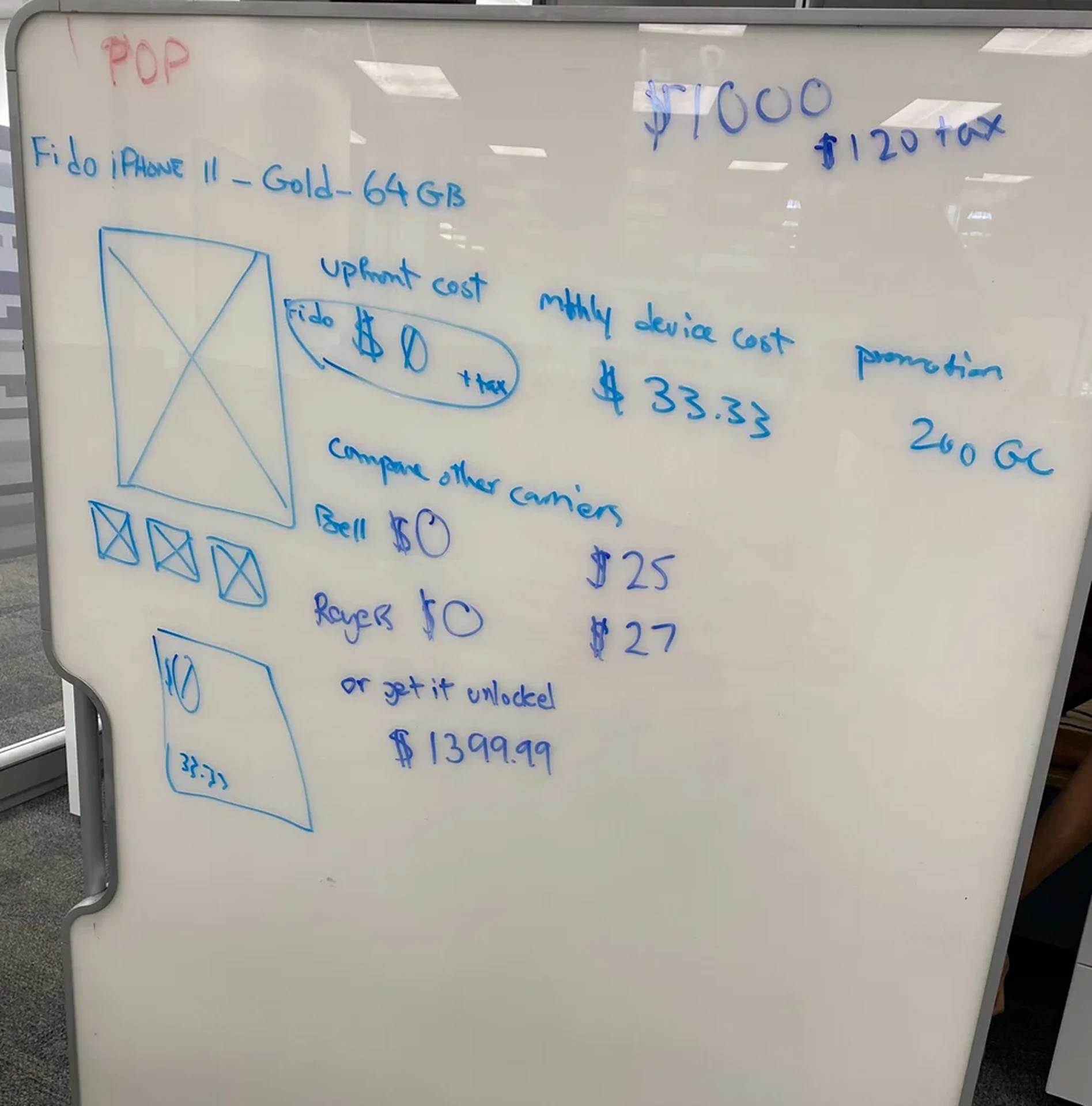
Whiteboarding
I sketched out the information hierarchy and interaction behaviour based on the content we had in hand. Whiteboarding allowed me to stay out of the nitty-gritty and focus on the big picture and high-level concept. It also gave the team a channel to voice and propose new ideas.
After finalizing the content flow, developers started working on the foundation and backend while we worked on UI design and copy.
UI Design and Copy
Once the direction was set we started working on the UI. This was a collaboration between the UI designer, UX writer and myself. We experimented with a few different visual hierarchies and treatments for the new component.
The vision for UI and copy was to bring clarity and instill confidence. Customers see the options they have when looking at the Product Details Page. They can easily compare pricing and promotions without the need to open multiple tabs.
The design encourages consistency across platforms and screen sizes by using known elements and patterns. The copy is simple, conversational and speaks in a human way.
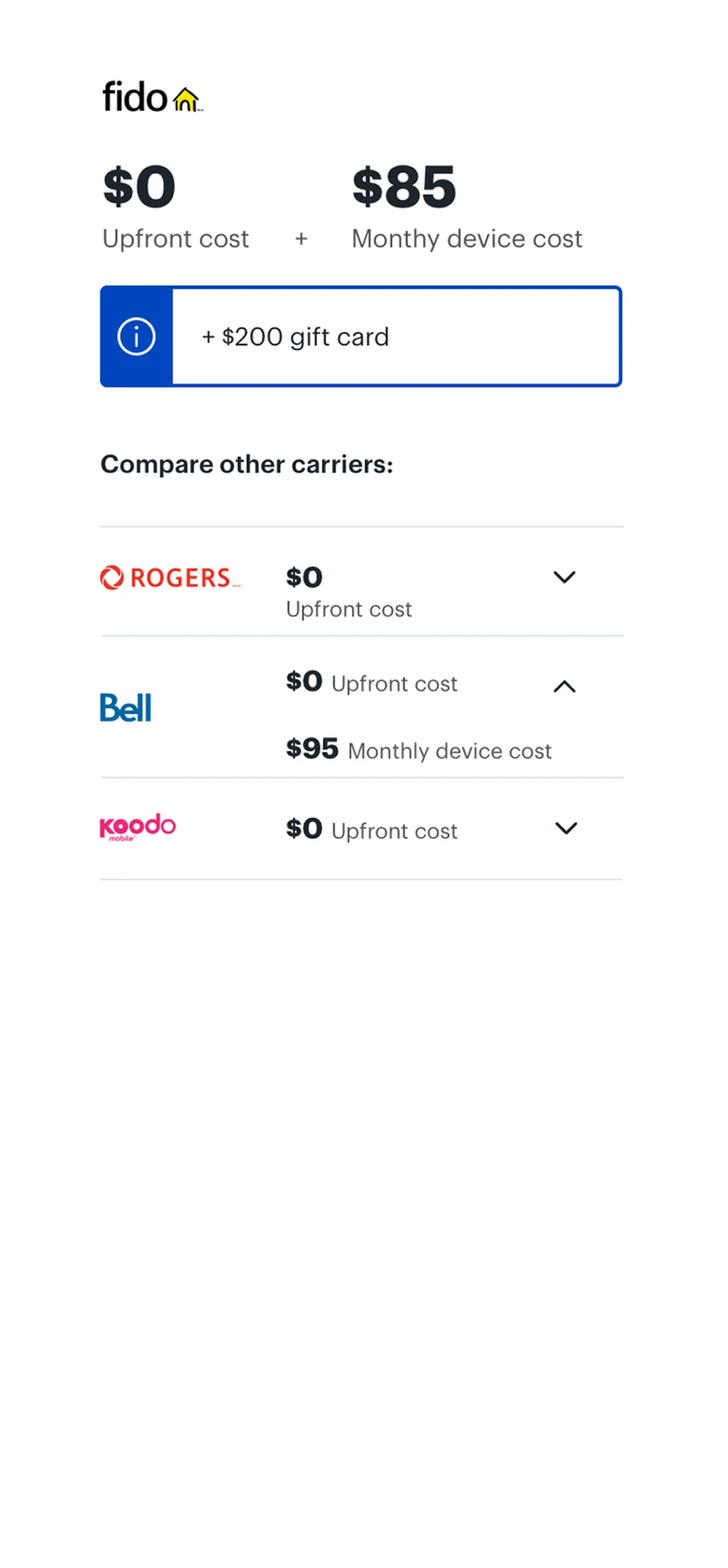
Iteration 1
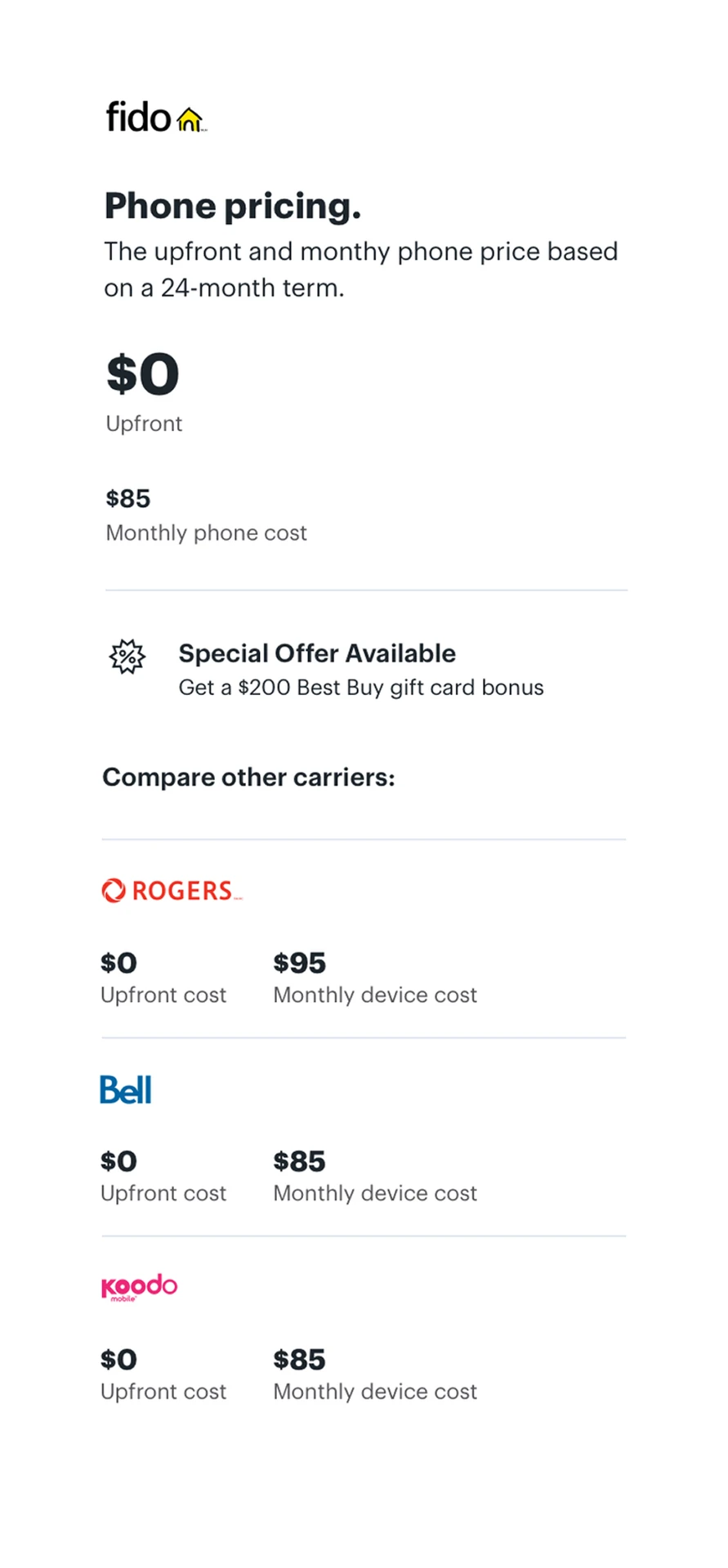
Iteration 2
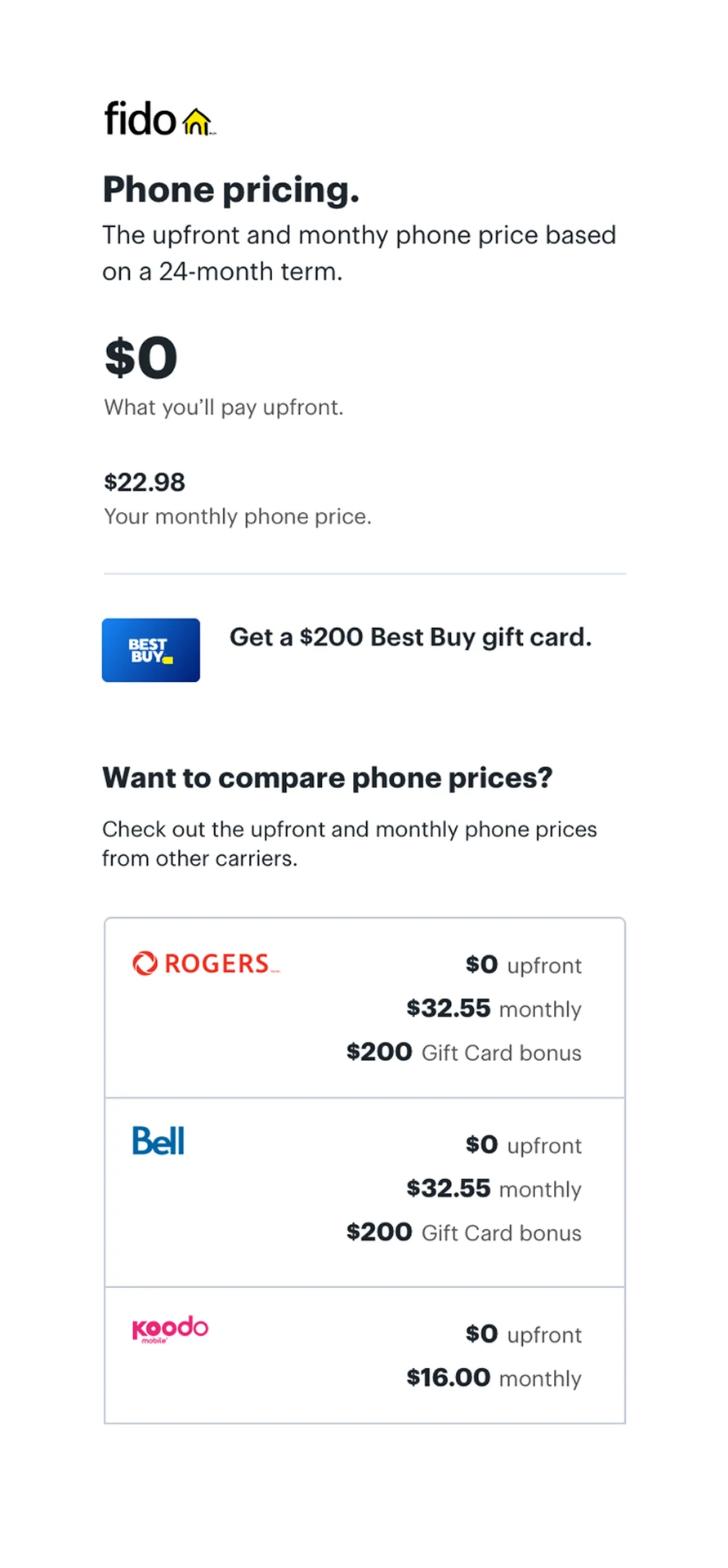
Iteration 3
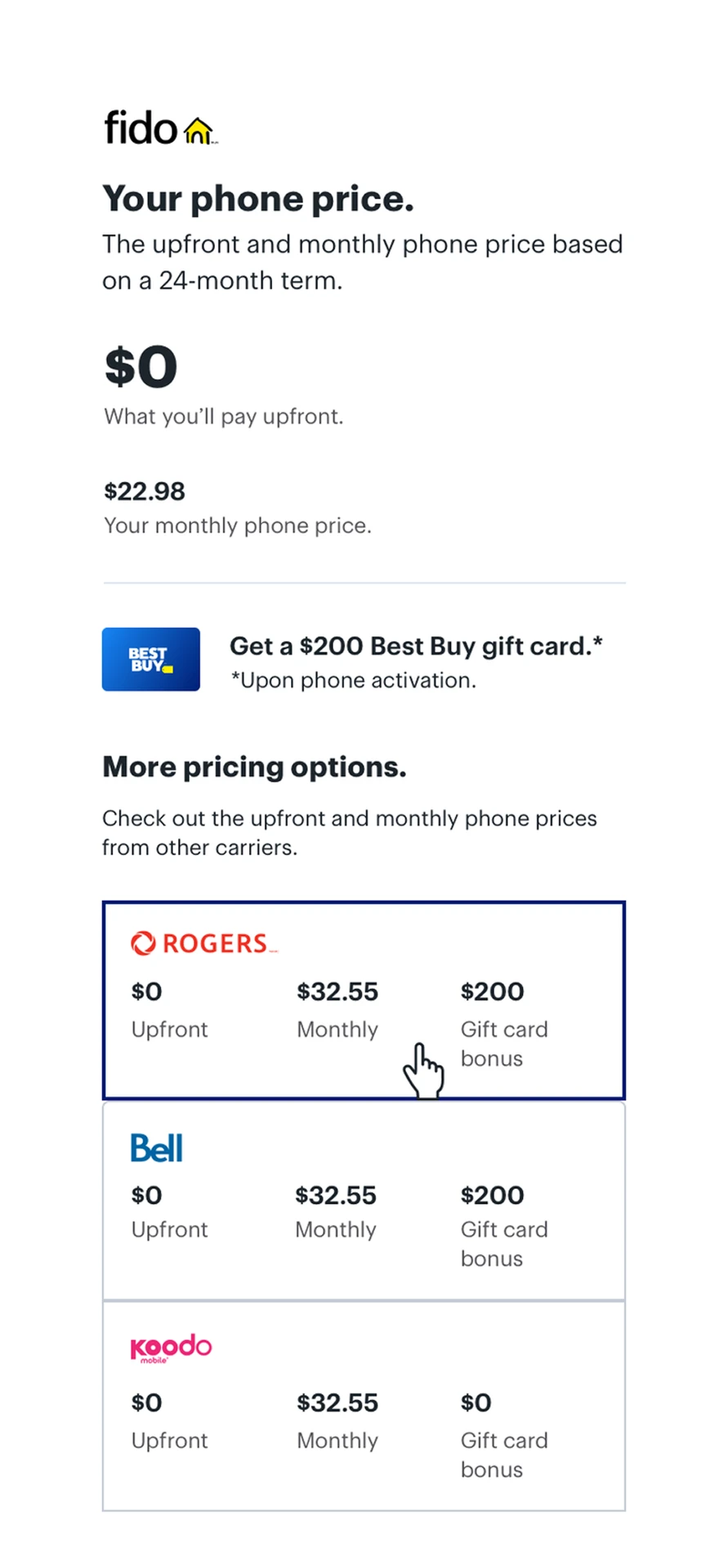
Iteration 4 · Final
Before and After
Upfront cost & monthly phone price
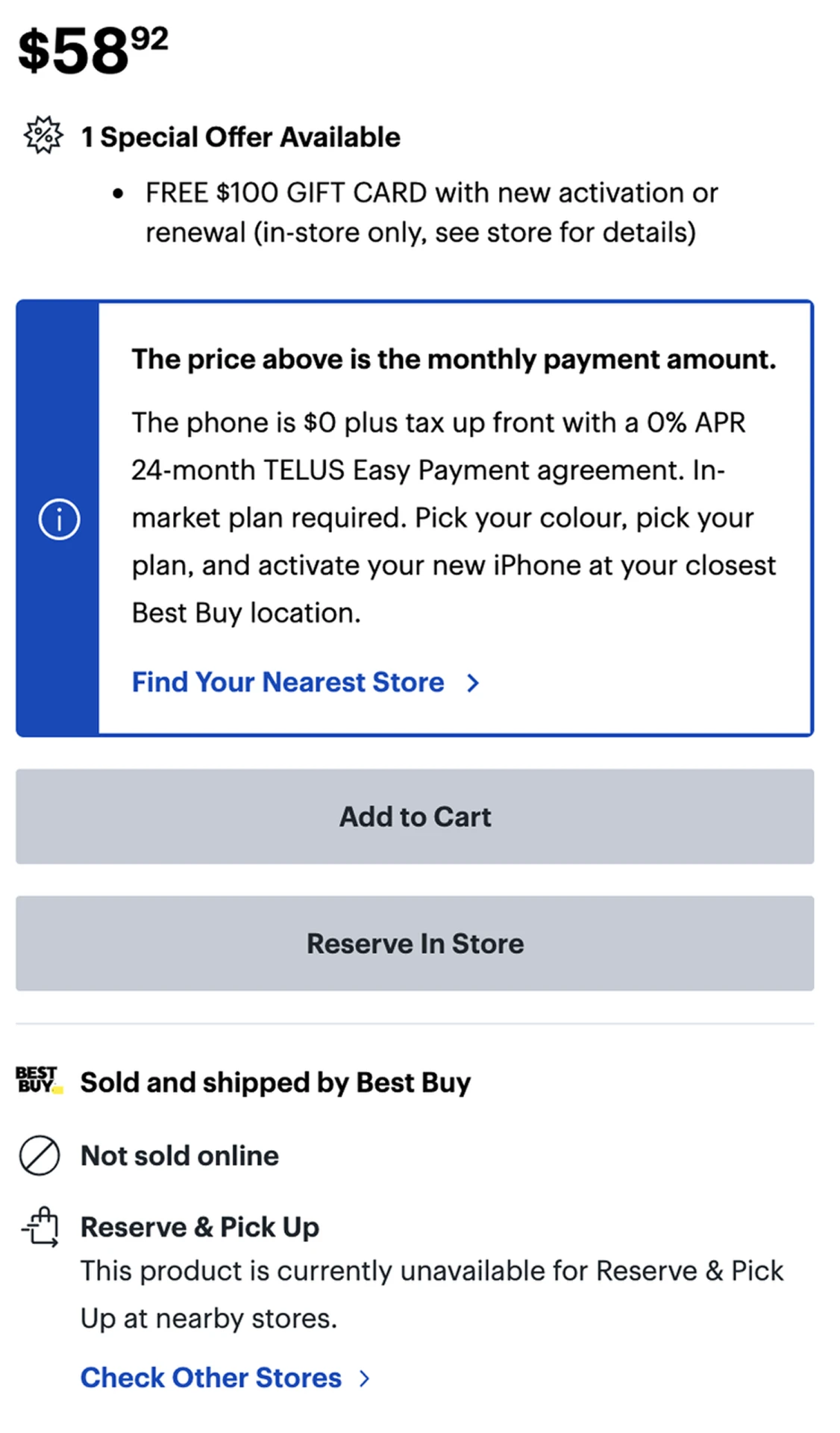
The price shown on the old design is the monthly cost of the phone, but it is not communicated clearly and effectively. The visual treatment of the message looks like an error message and deactivated buttons contribute to that even more. Customers land on the page not knowing exactly what they are looking at.
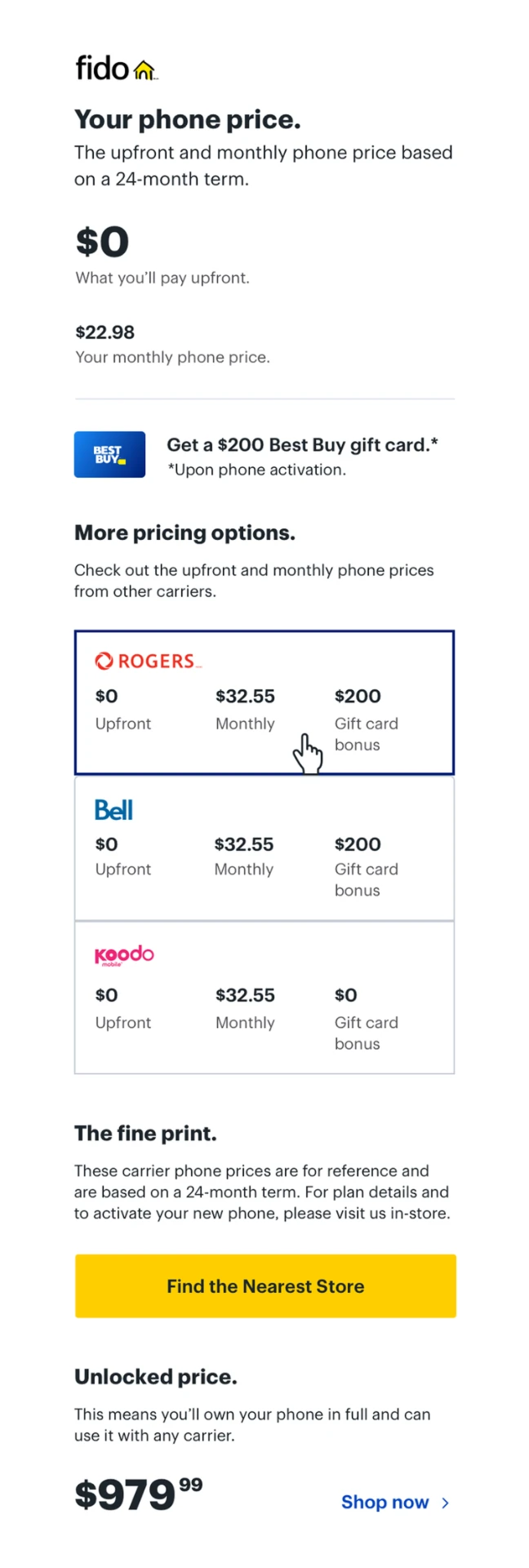
The new design clearly lists the costs for upfront and monthly prices with simple copy, allowing the customer to make a more informed decision.
Gift card
Gift cards are one of the differentiating factors between Best Buy and competitors. The new design focuses on increasing the visual weight to help inform the customer. It also allows them to compare the gift card options between different carriers.
Carriers
The old design doesn't provide any information on phone pricing. As the first iteration, we focused on bringing upfront and monthly phone pricing from different carriers to each Product Details Page to allow customers to easily compare options and make an informed decision.
Unlocked price
Some customers have a low cost phone plan. For those customers, it makes sense to buy out their phones. Others might need to evaluate different options. In order to help every customer find the best deal, we incorporated unlocked phone prices as well. Data also shows that unlocked phone sales represent 30% of total wireless web sales last year and are expected to grow by 70% this year.
Find the nearest store
In order to finalize phone activation, carriers require personal information, e.g. SIN number. Therefore, customers need to go to the store to finish the purchase. In the new design, we have provided a more prominent and easy way to find the nearest and most convenient location.
Before
After
How would I measure success?
This work is part of a bigger vision and initiative at Best Buy. Learning from this stage will help inform the next iteration. Therefore, we defined a set of metrics to track in order to better equip the next iteration strategy.
- How many customers use the Product Details Page to compare pricing?
- Scroll-through rate.
- Lineup duration in store — now vs. after launch.
- Time Blue Shirts spend with each customer — now vs. after launch.
- Phone activation rate — now vs. after launch.
- Customer satisfaction, effectiveness and efficiency through a questionnaire using SUPR-Q metrics.
Next Iterations
As we were making design and development decisions, we clearly listed what the next iteration should focus on:
- Product variance — consolidating pages to include various colours, memory and carriers.
- Plan price — presenting plan prices to help customers almost finish their decision.
- Reserve in store — ability to configure what the customer wants and reserve in store.
- Location preferences — automatically recognize customer location and offer the closest store.
- Schedule time — book time with Blue Shirts to minimize the wait time and receive a more focused and personalized experience.
What I Learned
Working towards MLP (Minimum Loveable Product)
This was just the stepping stone! What we worked on was the fastest way to provide the smallest piece of value for customers within 24 hours. It definitely needs further iterations to fine tune and improve the experience.
Fast decision making & clear communication
Because we were tight on time, we needed to act fast. We also needed to make sure communication was clear and everybody had a defined set of responsibilities.
Thanks for reading.
← Back to work